
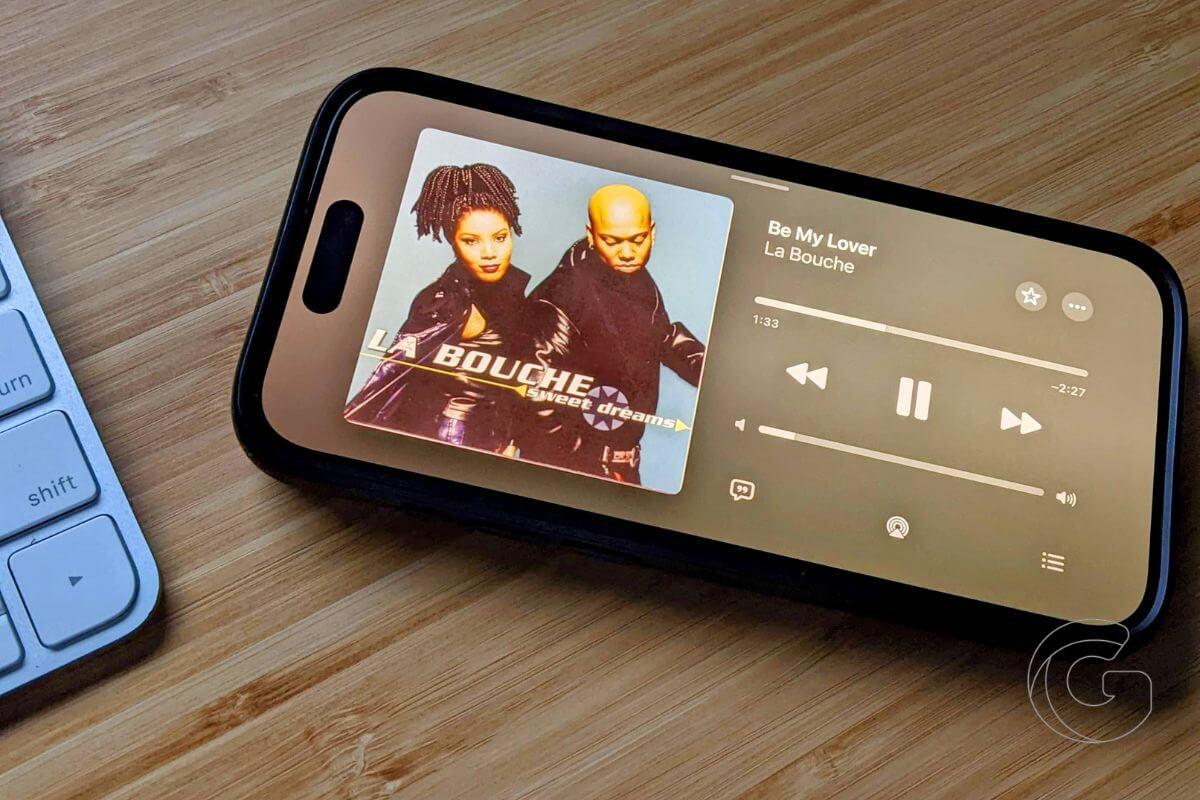
Apple killed landscape mode on iPhones back in 2017 when the iPhone X launched, and for nearly a decade, millions of users just accepted that tilting their phone sideways in most apps did absolutely nothing.
iOS 27 changes that, quietly but significantly, and the reason Apple is doing it now points directly at a device that hasn’t been announced yet.
Rotate your iPhone sideways in the Health app today, and nothing happens. Same with Fitness, Reminders, Weather, Podcasts, Apple Music, Find My, Voice Memos, and Home. All of them lock you into portrait.
With iOS 27, that changes across all of those apps at once, a sweeping shift that affects how you’ll interact with your phone every single day.
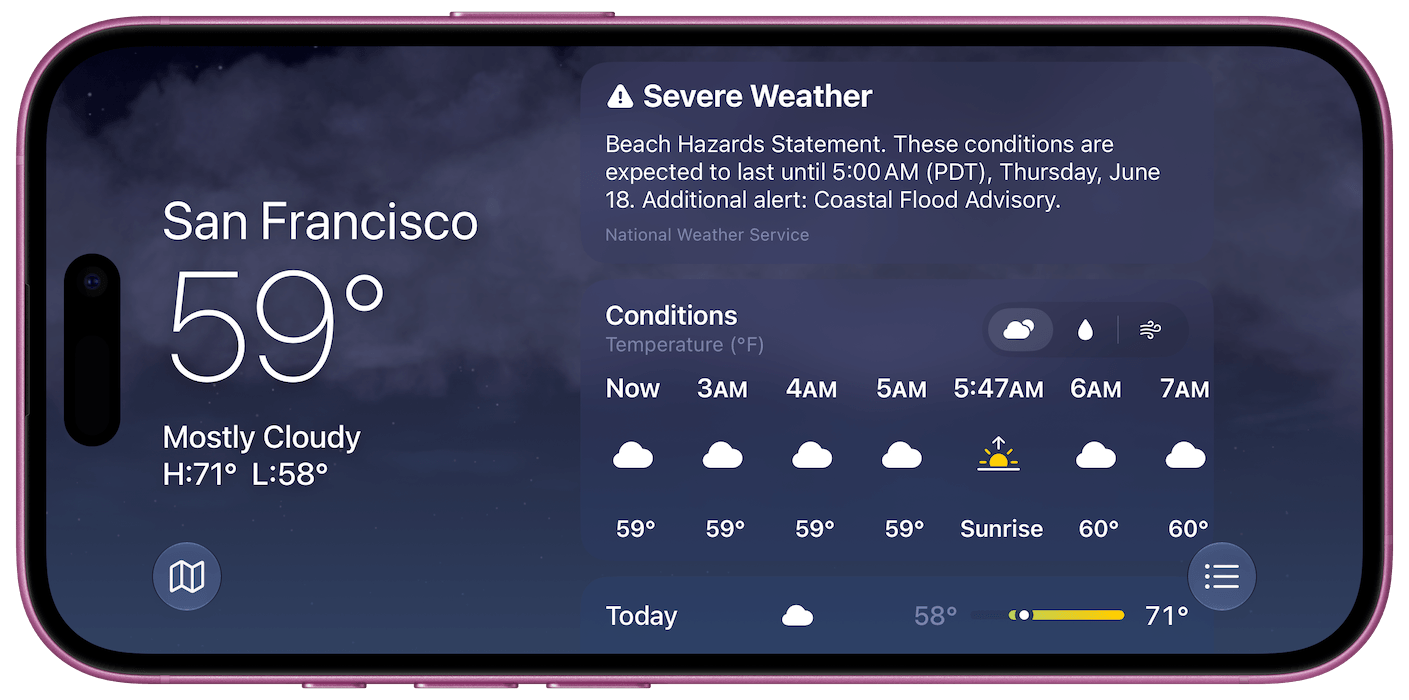
Apps gain sidebar layouts in landscape. The Messages conversation list collapses so you see names and profile pictures side by side instead of stacked. Weather spreads out horizontally, and Fitness data gets room to breathe.
This goes deeper than surface-level design tweaks. The entire interface reorganizes itself whenever the phone is in landscape mode.
Why Apple Abandoned This and Why It’s Back
Landscape support on iPhones used to be normal. The iPhone 6 Plus, 7 Plus, and 8 Plus all had a landscape Home Screen grid. You’d turn the phone sideways, and the icons rearranged.
Apple dropped that feature entirely with the iPhone X in 2017, and it never came back. That’s almost nine years of a narrower experience on a device hundreds of millions of people use every day.
The timing of this reversal is not accidental. Apple is widely expected to unveil the iPhone Ultra this fall, a foldable device that opens like a book and displays content horizontally by default.
Apps that refuse to rotate sideways would be embarrassing on a phone built around a landscape-first form factor. Apple is essentially future-proofing its entire app ecosystem before the hardware arrives.
What You’ll Actually Notice
For anyone using a standard iPhone, the practical difference is immediate. Checking your Reminders list while your phone is propped up on a desk now works properly.
Scrolling through Podcasts with the phone tilted actually makes sense. The Health app no longer forces you to rotate back upright just to read your data.
The Dynamic Island also gets an upgrade. Live Activities, the persistent status strips showing timers, sports scores, and food deliveries, now also display in landscape orientation.
So if your phone is sideways while a delivery is on its way, that Live Activity stays visible and properly formatted instead of going awkward at the top of the screen.
One thing iOS 27 still doesn’t restore is the landscape Home Screen grid. That feature, which let you see your app icons in a wider layout, remains gone.
Turning your phone sideways on the Home Screen still does nothing. For users who remember the Plus-era iPhones, that gap remains frustrating, and it’s the one obvious piece Apple hasn’t addressed even as everything else around it gets updated.
iOS 27 lands in September. Portrait Orientation Lock in Control Center must be off for any of this to work, which is easy to miss if you’ve had it enabled for years and forgotten it’s even there.

