
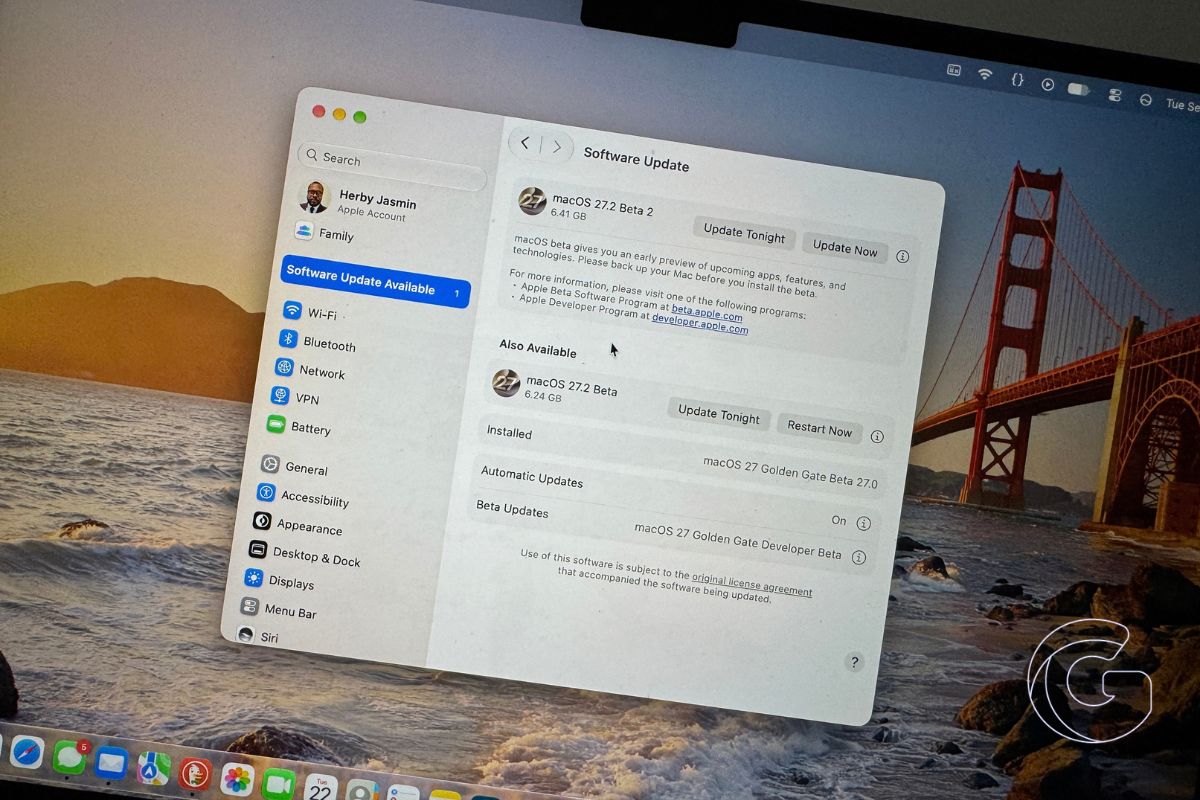
Apple has released the second developer beta of macOS Golden Gate 27.2, one week after testing began for the update.
The new beta carries build number 26B5091g and continues testing expanded language support for Siri AI, one of the main additions coming with macOS 27.2.
Registered developers can download the beta through System Settings > General > Software Update after opting into the macOS Golden Gate developer beta channel.
Apple also released second betas of iOS 27.2, iPadOS 27.2, watchOS 27.2, tvOS 27.2 and visionOS 27.2.
Siri AI expands to more languages
macOS 27.2 brings Siri AI to additional languages, expanding access to the redesigned assistant that launched with macOS Golden Gate earlier this month.
The update also includes redesigned volume and brightness sliders, giving two frequently used controls a slightly different appearance.
Apple hasn’t announced a public release date for macOS 27.2, but the update is expected toward the end of October.
As with most early betas, Apple is also using the testing period to address bugs that have surfaced since macOS Golden Gate was released on September 14.
Mission Control is noticeably better
Mission Control has been one of the biggest problems I’ve encountered since installing macOS Golden Gate.
Switching between desktop spaces has been unreliable, and I’ve experienced a complete system lockup that required a hard reboot because even the Force Quit window wouldn’t respond.
Keyboard shortcuts have also been inconsistent. Control + Left Arrow and Control + Right Arrow sometimes fail to switch spaces until I first move between them manually or use a trackpad gesture.
After installing macOS 27.2 beta 2, Mission Control is noticeably more stable. I haven’t encountered the same lockups so far, although switching between spaces can still feel sluggish and the keyboard shortcuts aren’t completely reliable.
It’s too early to call the problem fixed, but beta 2 is a clear improvement in my testing. I’ll be watching Mission Control as I spend more time with the build.

