

Apple is giving iPhone users a new way to control how much glass-like transparency appears across their entire interface in iOS 27.
This replaces a basic two-option toggle with a continuous slider that covers the full range from nearly clear to heavily frosted.
The adjustment applies everywhere at once. Control Center, Lock Screen notifications, Home screen folders, and app overlays all shift together as you drag the slider. There is no need to hunt through separate menus for each surface.
Where Apple Moved the Control
Apple consolidated several interface settings that were previously spread across Display and Brightness into a new section simply called Appearance. Light and Dark mode, text size, and the Liquid Glass slider all live there now.
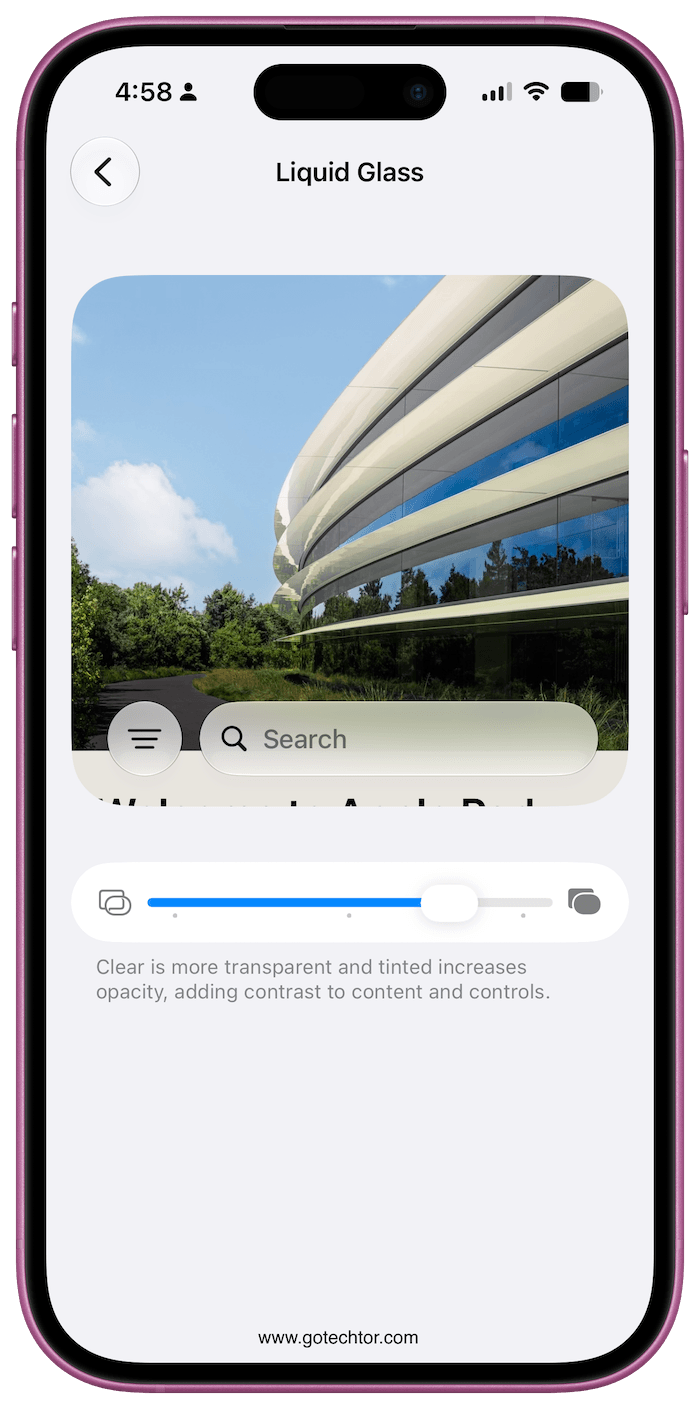
To reach it, open Settings, tap Appearance, then tap Liquid Glass. The slider preview updates in real time, so you can see the change without leaving the menu.
Dragging left makes the glass clearer and more transparent while dragging right adds tint and opacity. The midpoint is Apple’s default. iOS 26.1 offered two fixed positions on this spectrum, but iOS 27 removes that restriction entirely.
When the Slider Still Is Not Enough
Even at the most opaque end of the slider, Apple keeps some degree of translucency in the interface.
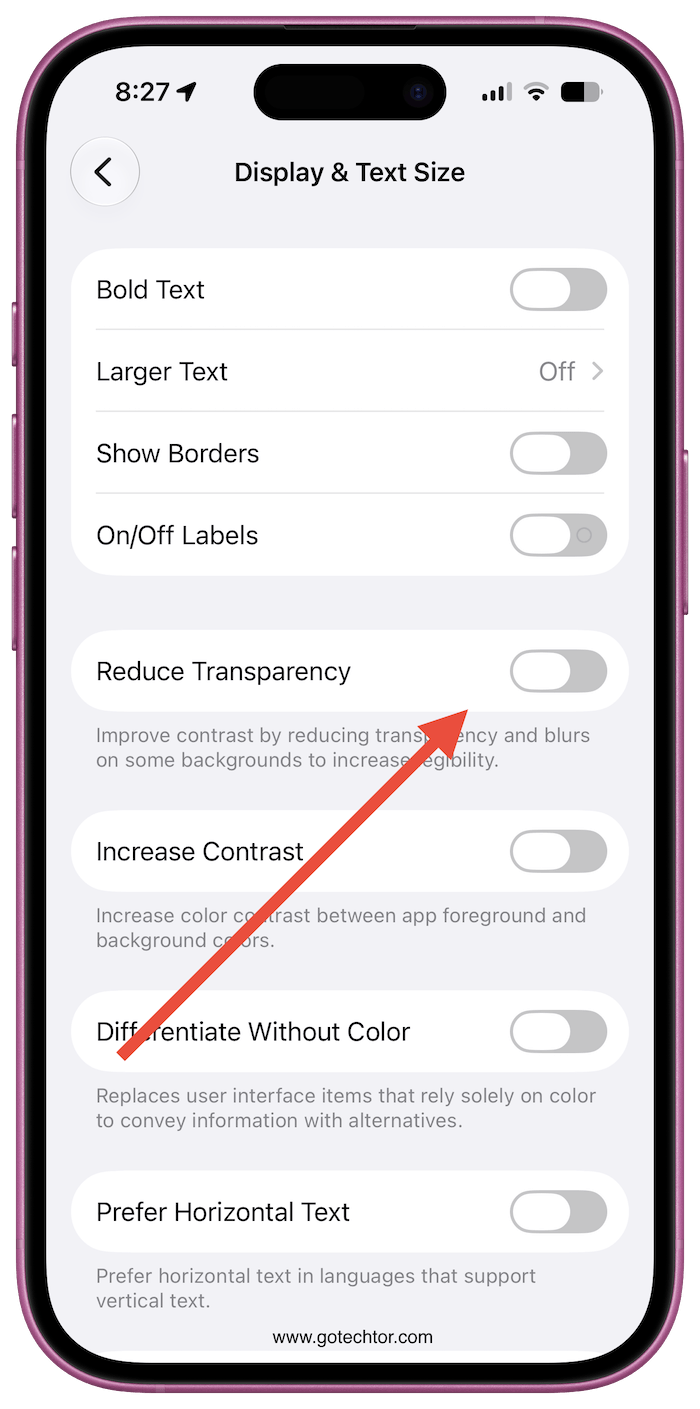
For users who want it gone completely, two Accessibility settings push further than the slider can. Reduce Transparency removes nearly all translucent backgrounds, leaving flat solid surfaces.
Increase Contrast sharpens the visual separation between text, buttons, and backgrounds. Both are in Settings, then Accessibility, then Display and Text Size.
Apple also adjusted how Liquid Glass handles busy content sitting behind it. The company says the update makes text far easier to read over busy backgrounds.
The blur effect now softens complex wallpapers more effectively, keeping menus and notifications clearly separated from what’s behind them.
Available Across Apple Devices
These settings sit in the exact same spot on iPadOS 27, while Mac users running macOS 27 can adjust them under System Settings.
All three operating systems are currently in public beta, with a general release scheduled for September 2026.

