
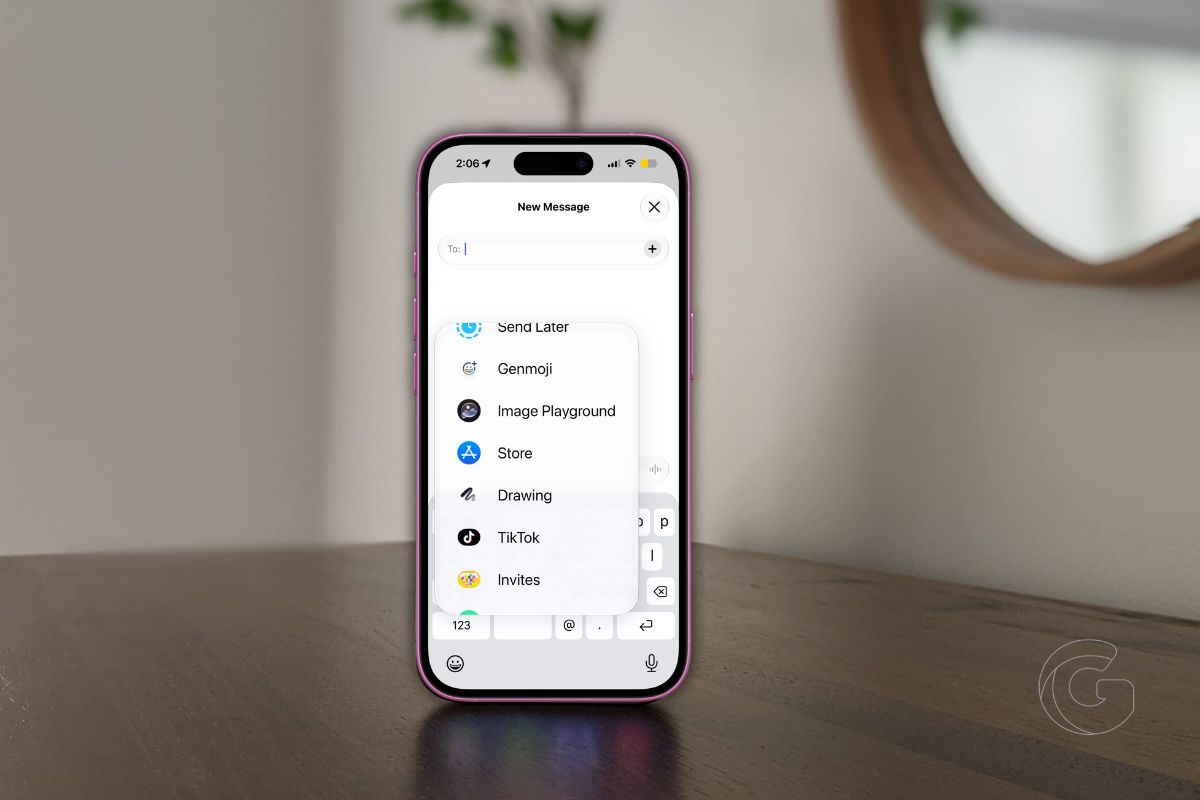
Apple quietly killed off a drawing feature in Messages years ago, and most iPhone users never noticed.
Now it’s coming back in iOS 27, but this time it’s nothing like what was removed. The full Markup toolset, the same professional-grade drawing tools you use to annotate PDFs and photos, is landing inside Messages.
For years, sending a drawing in Messages meant rotating your phone to landscape, finding a tiny hidden button, and scrawling something with your finger that looked like it was drawn during turbulence.
Apple tucked that feature away so discreetly that most people never found it. What replaces it in iOS 27 is fundamentally different in scope.
What You Actually Get Now
Tap the plus icon in the bottom-left corner of any Messages conversation and a new Drawing option appears.
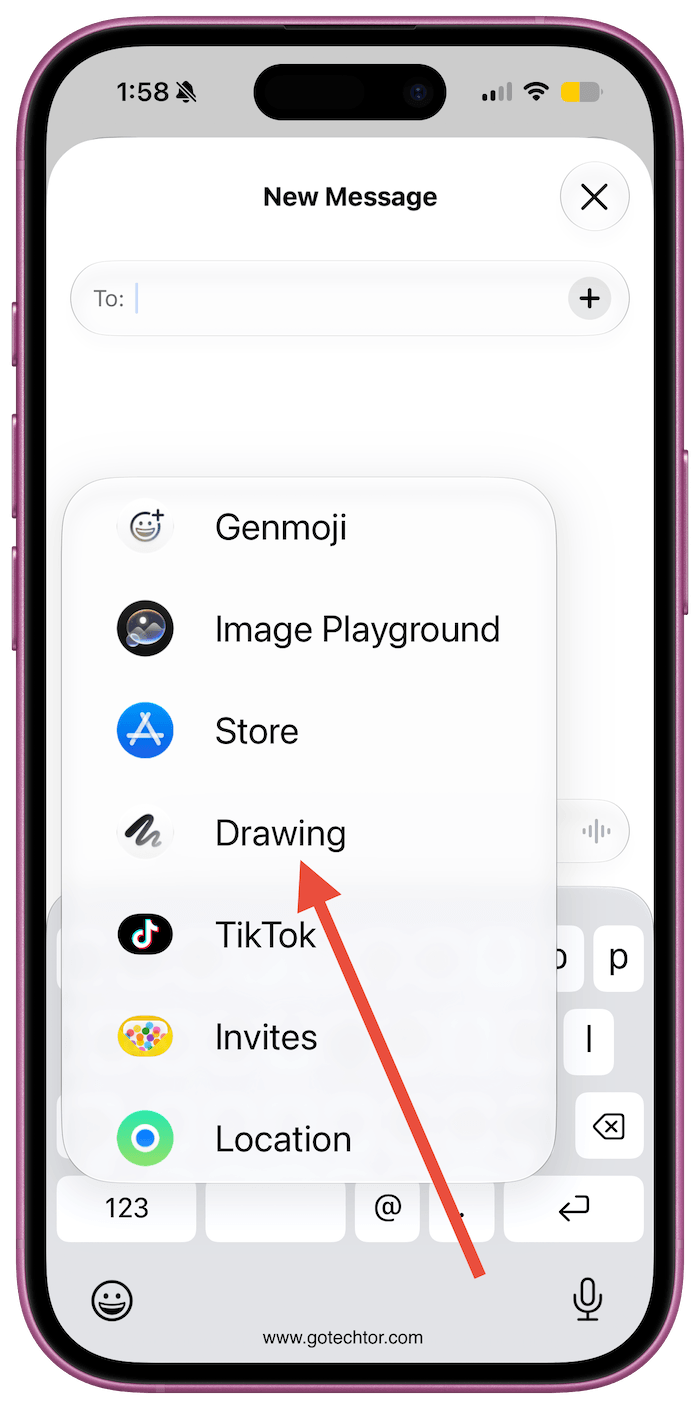
From there, the full Markup toolset opens up. That means rulers, pens, pencils, highlighters, and color options, all inside your text thread.
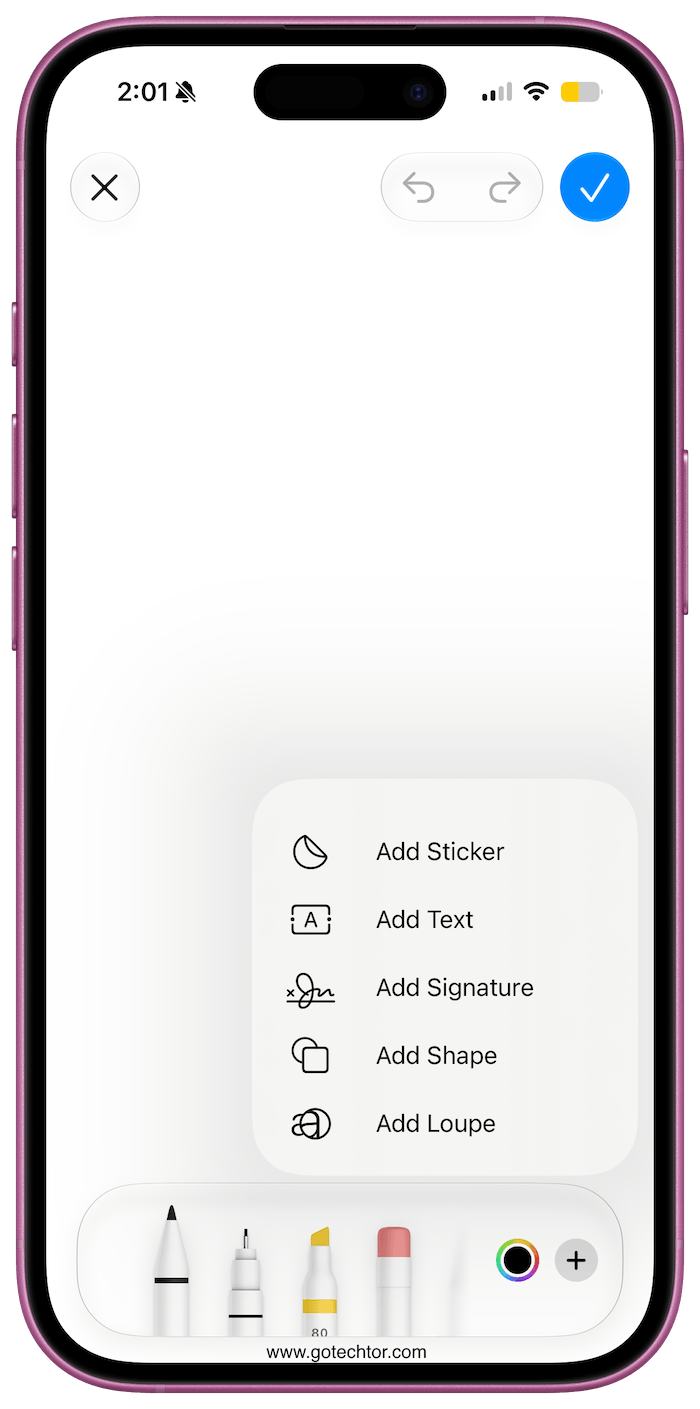
Markup already exists across Photos, Files, Mail, and Safari. Apple has been expanding it steadily for years.
Messages was the obvious missing piece, and the omission was hard to explain to anyone who tried to annotate a quick floor plan sketch or draw directions for a friend picking them up at an unfamiliar location.
Mac Users Are Getting Something Too
macOS 27 Golden Gate extends Markup into Notes and Freeform on the Mac. Notes already supports a lot, but adding the complete Markup layer changes how you interact with handwritten content when using a stylus or trackpad.
Freeform, Apple’s collaborative whiteboard app, gains more precise annotation tools. Neither app felt truly complete without them.
Some in Apple’s developer community are reading the Mac expansion as a signal. Markup tools in Notes and Freeform make considerably more sense on a touch-capable display. Apple has long been rumored to be working on touch-enabled MacBook Pro models.
Adding these tools now, before such hardware ships, follows a pattern Apple has used before when preparing an ecosystem for hardware that hasn’t arrived yet.
When This Actually Reaches Your Phone
iOS 27 and macOS 27 are both in developer beta right now. The public release is scheduled for September 2026, which means the drawing upgrade arrives alongside whatever new iPhones Apple announces that fall.
If rumors about Apple Pencil support coming to a future iPhone model have any substance, the timing of this Messages feature starts to feel less like a minor convenience update.
For ordinary users who just want to sketch a quick map, mark up a photo before sending it, or draw something that a string of emojis cannot capture, the practical effect is simple.
A feature that should have existed in Messages for years is finally there, and it works the way you would expect it to from day one.

