
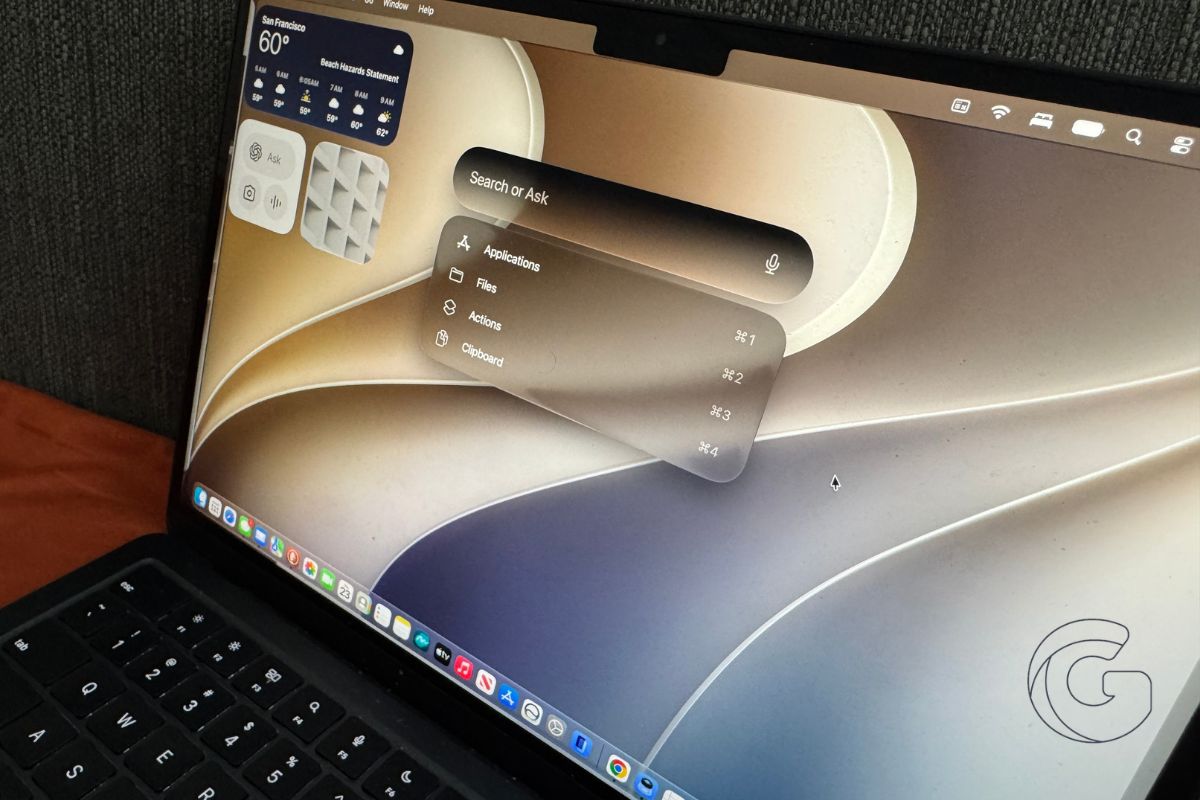
Apple opened the second public beta of macOS Golden Gate to anyone willing to test it on Wednesday, moving the fall operating system release one step closer to the general public.
Mac users can enroll through Apple’s beta website, then download the update in System Settings under General and Software Update.
Siri Now Reads Your Screen
One of the more practical additions in Golden Gate is Visual Intelligence on the Mac. Siri can now look at whatever is displayed on your screen and answer questions about it directly.
Ask it to explain a chart, identify a product in a photo, or pull details from a document you have open.
The keyboard shortcut Command + Space brings up Siri through Spotlight, keeping the experience consistent with how Mac users already search for things.
Writing Help Built Into the System
A feature called Write with Siri can generate text from a blank page, catch grammar mistakes, or review something you have already written and offer feedback.
This sits at the system level, meaning it is accessible across apps rather than locked inside one specific program.
Shortcuts also gets a natural language upgrade, so users can describe what they want an automation to do instead of building it step by step.
Mail and Messages both received improved search, which affects anyone who regularly hunts through old conversations for a specific piece of information.
The Interface Is Easier to Navigate
Apple adjusted how windows look and behave across the system. Apple tweaked the desktop layout with a cleaner, squarer look.
Sidebars now extend edge-to-edge instead of floating, toolbars feature clearer headings, and window corners get a slightly sharper radius.
A new transparency slider lets users dial back or increase the overall glass effect in the interface. Apple also says window positioning behaves more predictably across external displays, which has been a consistent complaint from Mac users running multi-monitor setups.
Performance Improvements Reach Older Macs
Apple says Golden Gate runs faster and smoother even on older Mac hardware, which matters for users who are not running the latest chips.
The Photos app gains new AI editing tools alongside the system-wide changes. macOS Golden Gate brings the same Siri upgrades landing on iPhone and iPad this fall.
It can now parse personal data—such as indexing your photos, emails, and texts—and perform actions across multiple apps in a single request.
For anyone considering installing the beta, the first public beta was generally stable according to early testers, though beta software always carries some risk on a primary machine. The final version of macOS Golden Gate is expected this fall.

