
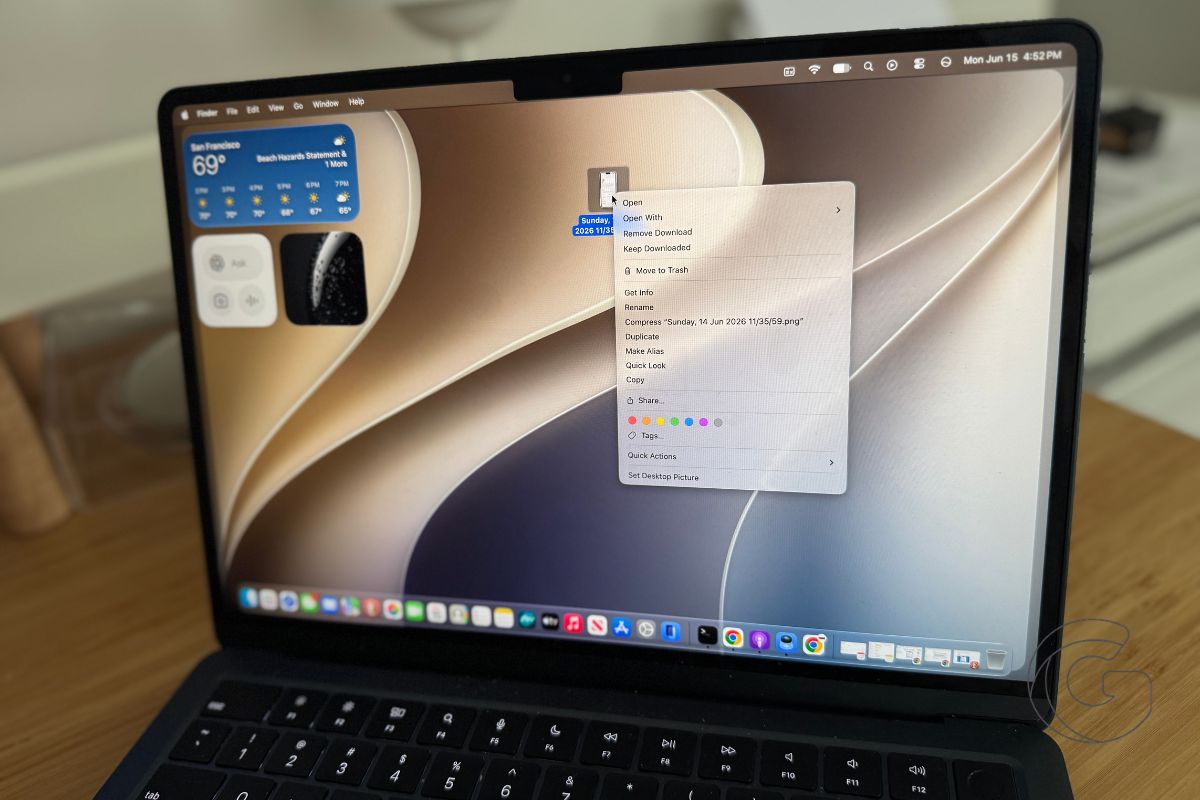
Apple spent a full year shipping Mac menus that confused the people who use them most.
Designers and developers spent months complaining loudly enough that some actually released open-source code just to turn the problem off.
Now, with macOS 27 Golden Gate still months from public release, Apple has already quietly admitted the experiment failed.
Apple cluttered the menus in macOS 26 Tahoe by putting tiny icons next to almost every item. It created a distracting mess, mostly because the icons were totally inconsistent.
Different apps used different symbols for the exact same action, and most icons were useless without the text next to them.
Check these side-by-side screenshots showing the before-and-after. The Golden Gate menus look cleaner and easier to scan.
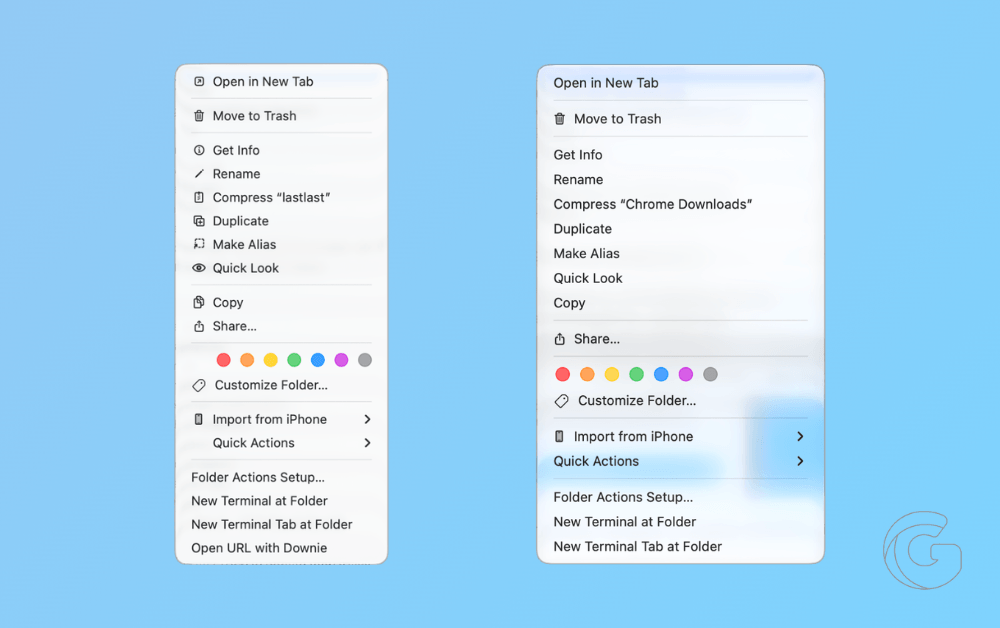
The cognitive load of parsing a column of mismatched symbols before you can click anything simply disappears.
Alongside the new macOS Golden Gate beta, Apple updated its Human Interface Guidelines to tell developers to tone it down with the menu icons.
They’re fine for common actions or file locations, but random decorative clutter is officially out.
Because this guidance applies to all Mac developers, the cleanup will hit third-party apps, too. Golden Gate is in developer beta now, with a public beta next month and the full release this fall.

