
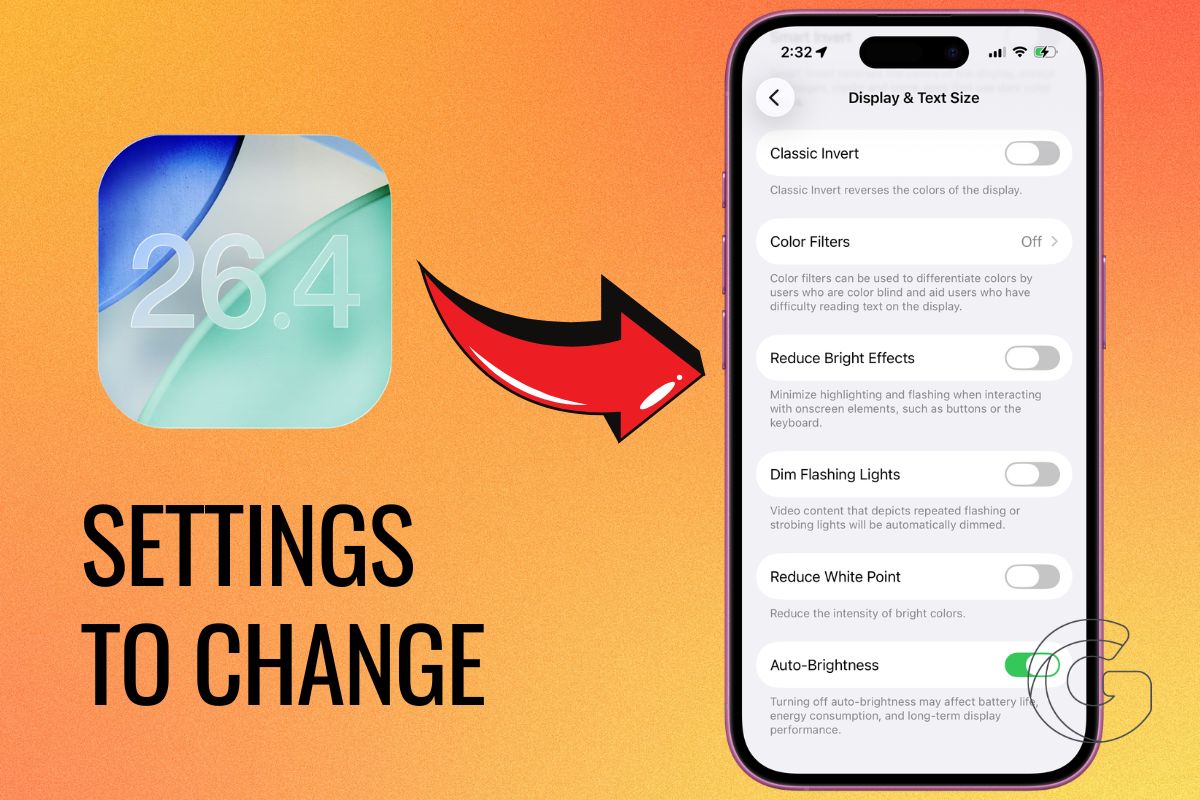
Installing iOS 26.4 is only the first step. The update includes several new features and improvements, but the real benefits come from adjusting a few settings.
Apple added new tools for security, battery management, notifications, and device behavior, and changing these settings can make a noticeable difference in how long your battery lasts and how much control you have over your data.
Many of these options are turned off by default or buried in menus, so most users will never notice them unless they go looking.
Start With Security Settings
One of the most important changes in iOS 26.4 is improved background security. There is a setting that allows your iPhone to automatically install important security updates in the background.
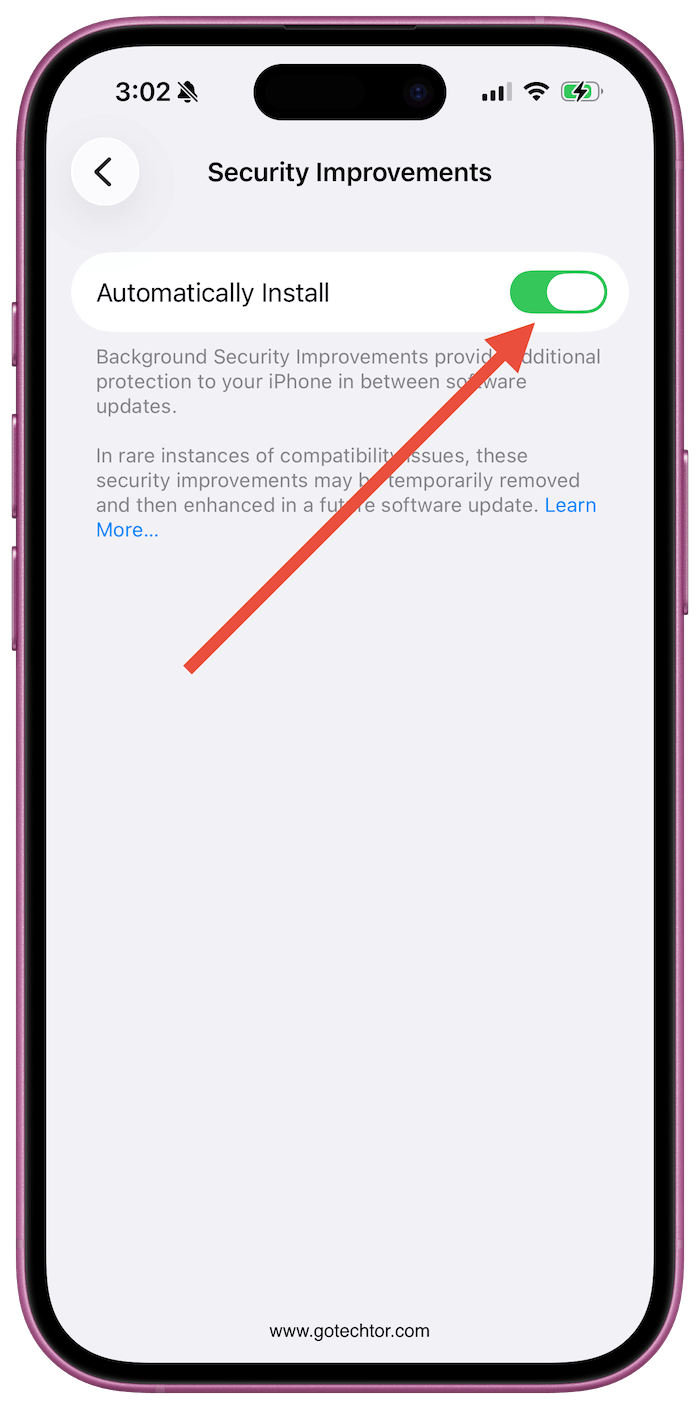
Turning this on helps protect your device without you having to manually install small security patches.
Another setting worth enabling is the option that asks for permission when new accessories connect to your phone.
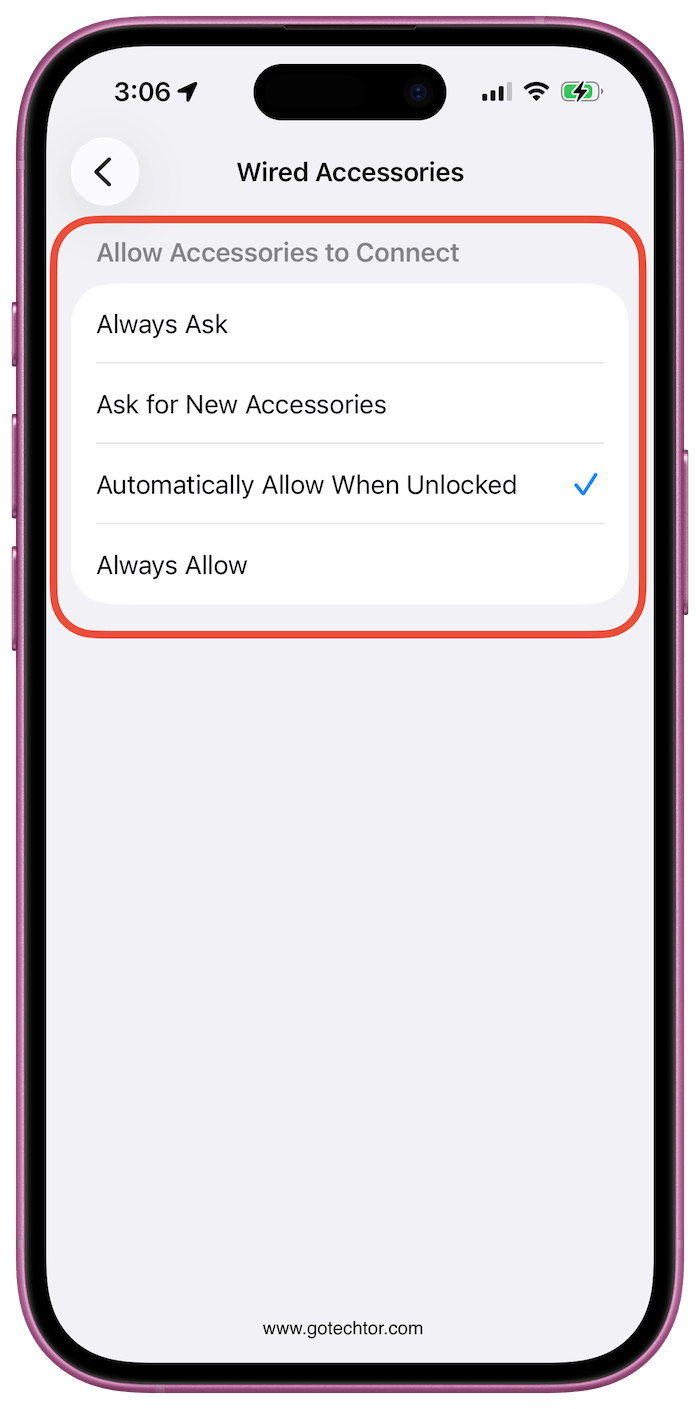
This prevents unknown USB devices or accessories from connecting without your approval, which adds another layer of protection for your data.
It is also a good idea to review app permissions regularly, especially for location, camera, and microphone access. Many apps request more access than they actually need.
Improve Battery Life With Adaptive Power
Battery life is still one of the biggest concerns for most iPhone users, and iOS 26.4 introduces a feature that helps manage power usage more intelligently.
Adaptive Power adjusts performance based on how you use your phone throughout the day, reducing power usage when full performance is not necessary.
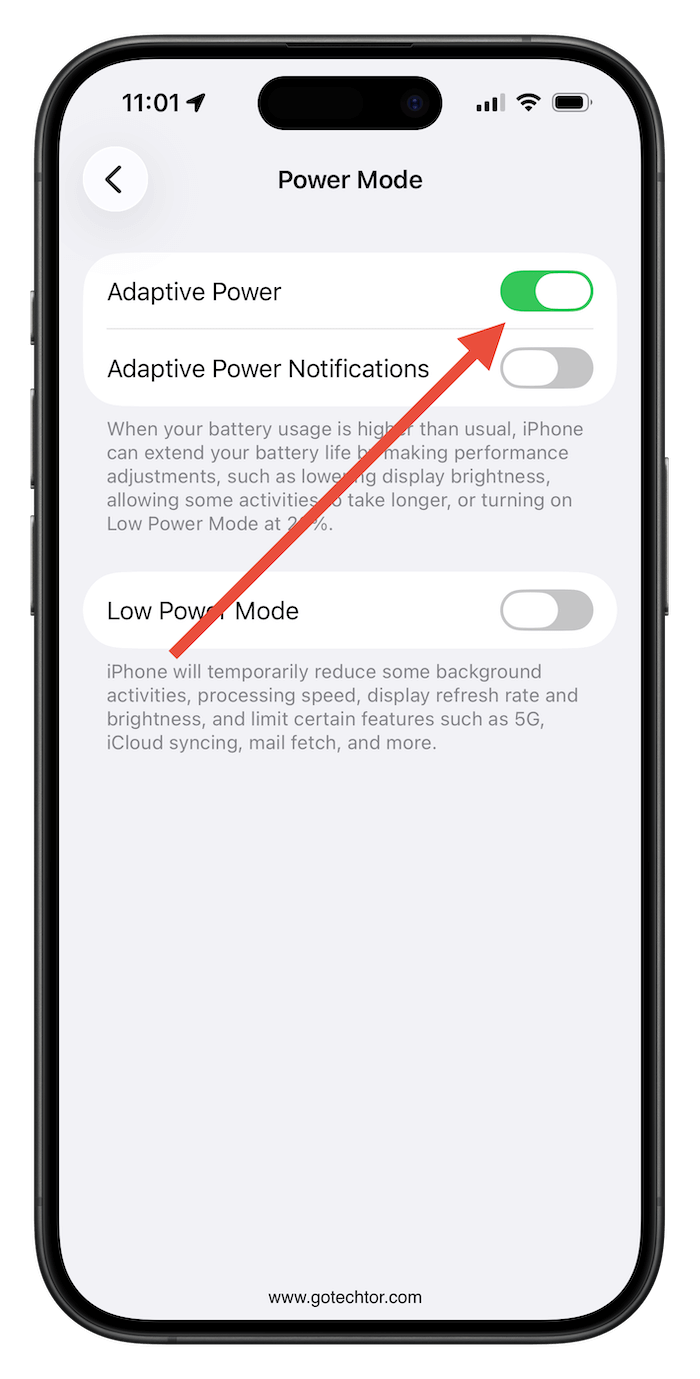
There is also an option to receive notifications when Adaptive Power is active, so you can see when your phone is conserving energy.
These settings will not double your battery life, but they can help your phone last longer during the day and reduce long-term battery wear.
Adjust Display Settings to Save Power
The display is one of the biggest battery drains on any smartphone. iOS 26.4 includes a setting that reduces bright visual effects and intense highlights on the screen.
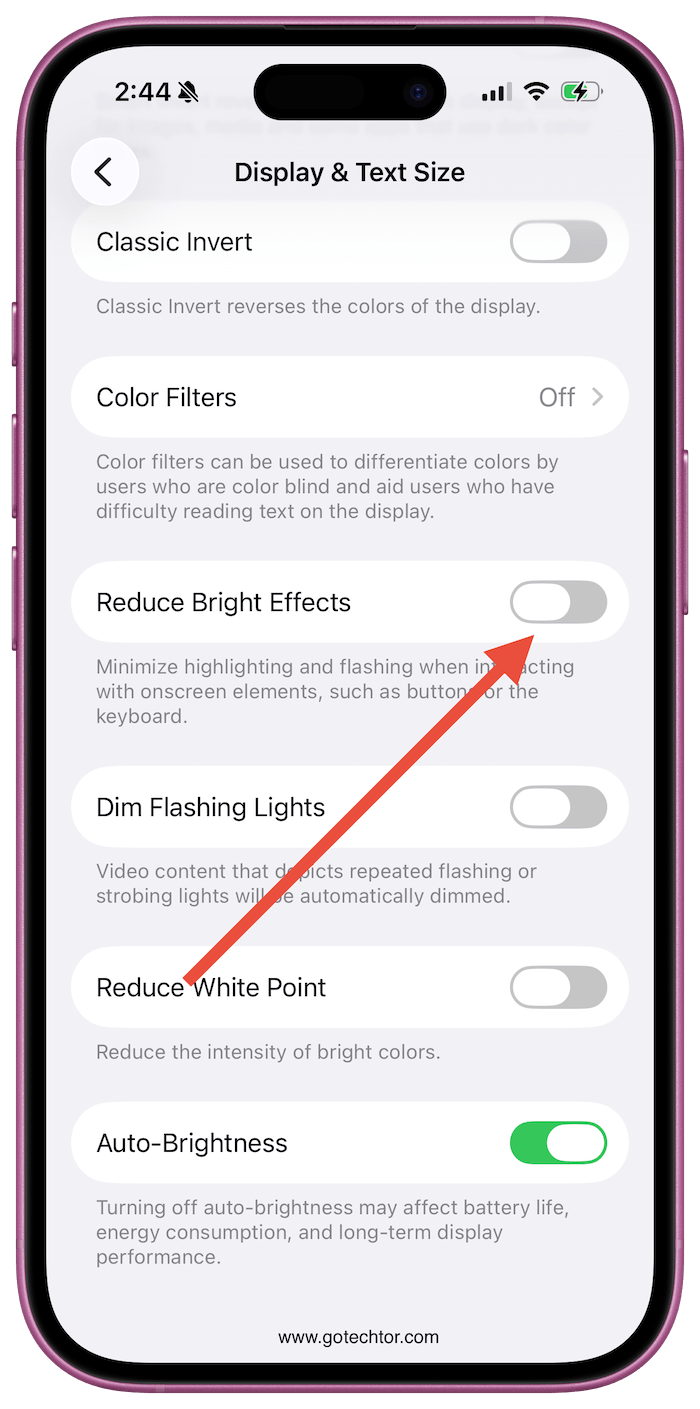
This can slightly improve battery life and also make the screen more comfortable to look at, especially at night.
Small display adjustments often have a bigger impact on battery life than people expect.
Camera and Lock Screen Changes
There are also a few camera-related settings worth adjusting. A new audio zoom feature improves audio recording when zooming in during video recording, which is useful if you record videos often.
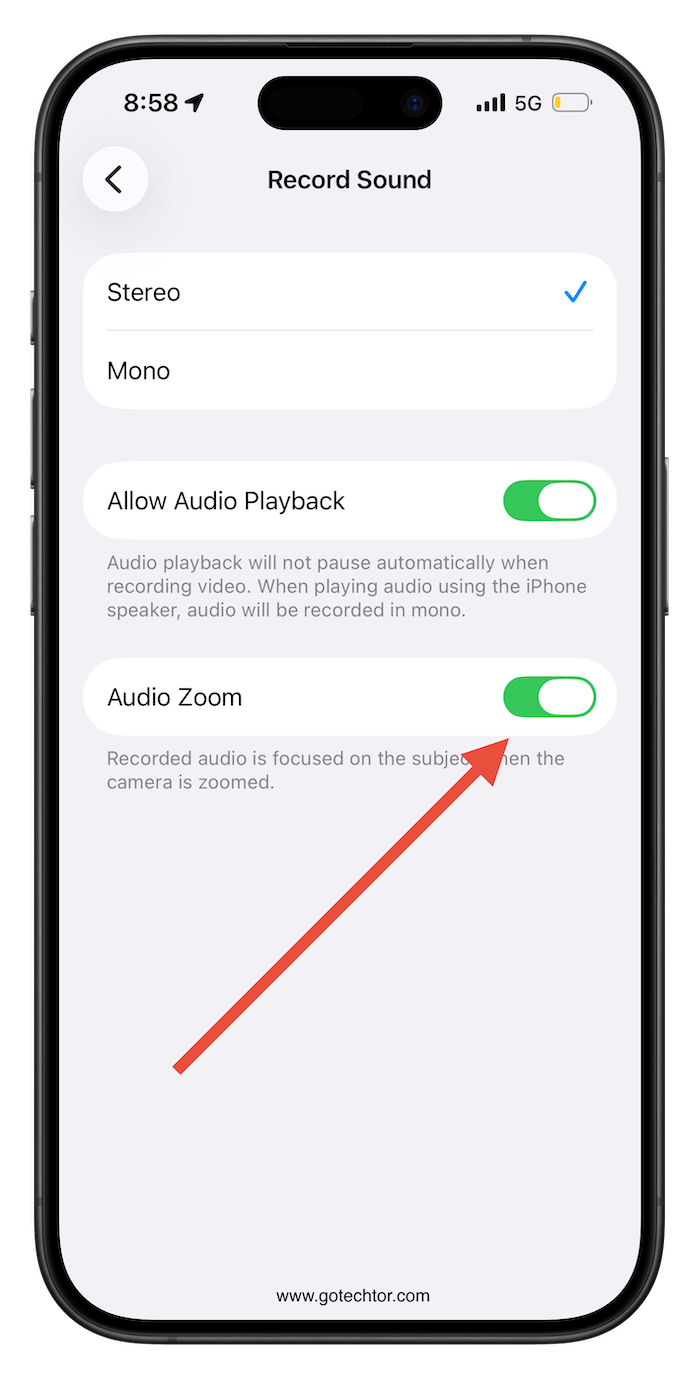
Another setting, which is not new, allows you to disable the ability to open the camera from the lock screen.

This can prevent accidental camera launches, which sometimes happen in pockets or bags and slowly drain battery without users realizing it.
Also: iOS 26.4 adds the first Apple Intelligence feature that actually feels useful—and hard to stop using
iCloud, Notifications, and Other Small Improvements
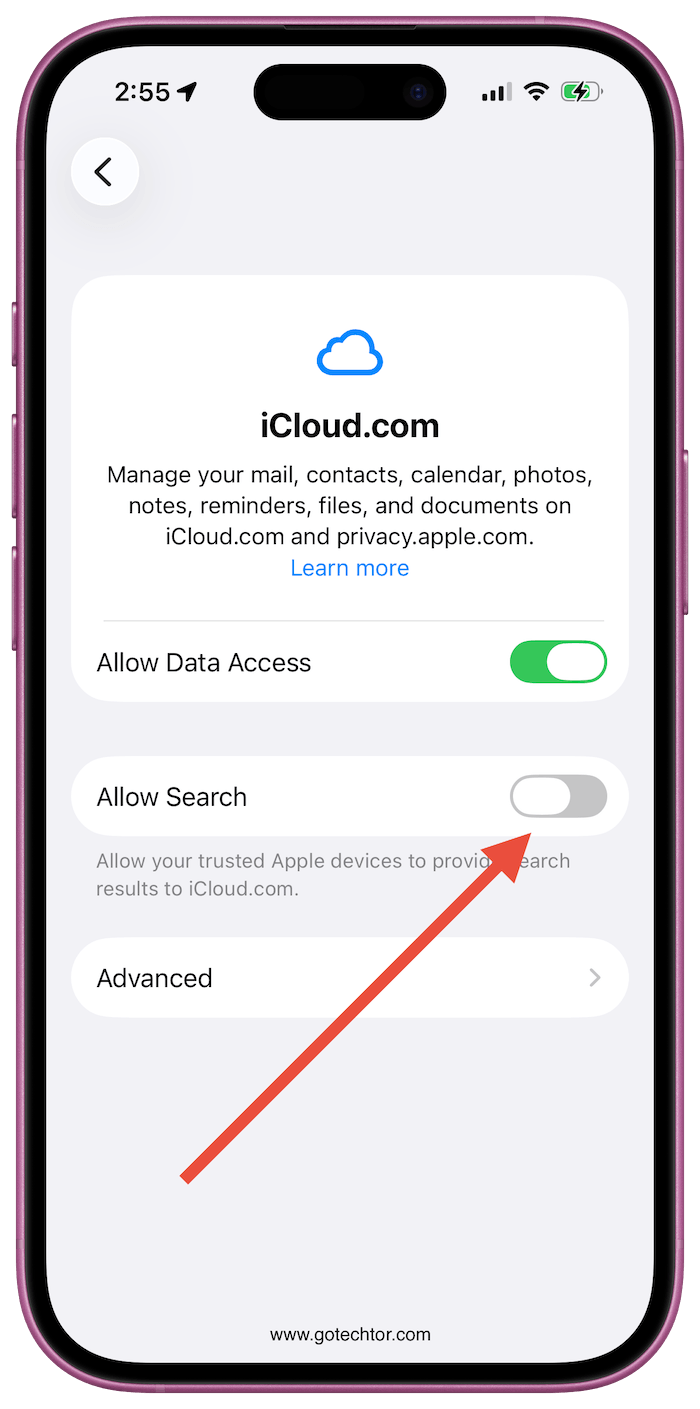
iOS 26.4 also includes smaller quality-of-life improvements. iCloud search across devices is easier, which helps when searching for files stored in iCloud.
Notification settings can be adjusted so that only important apps send alerts, reducing distractions and slightly improving battery life.
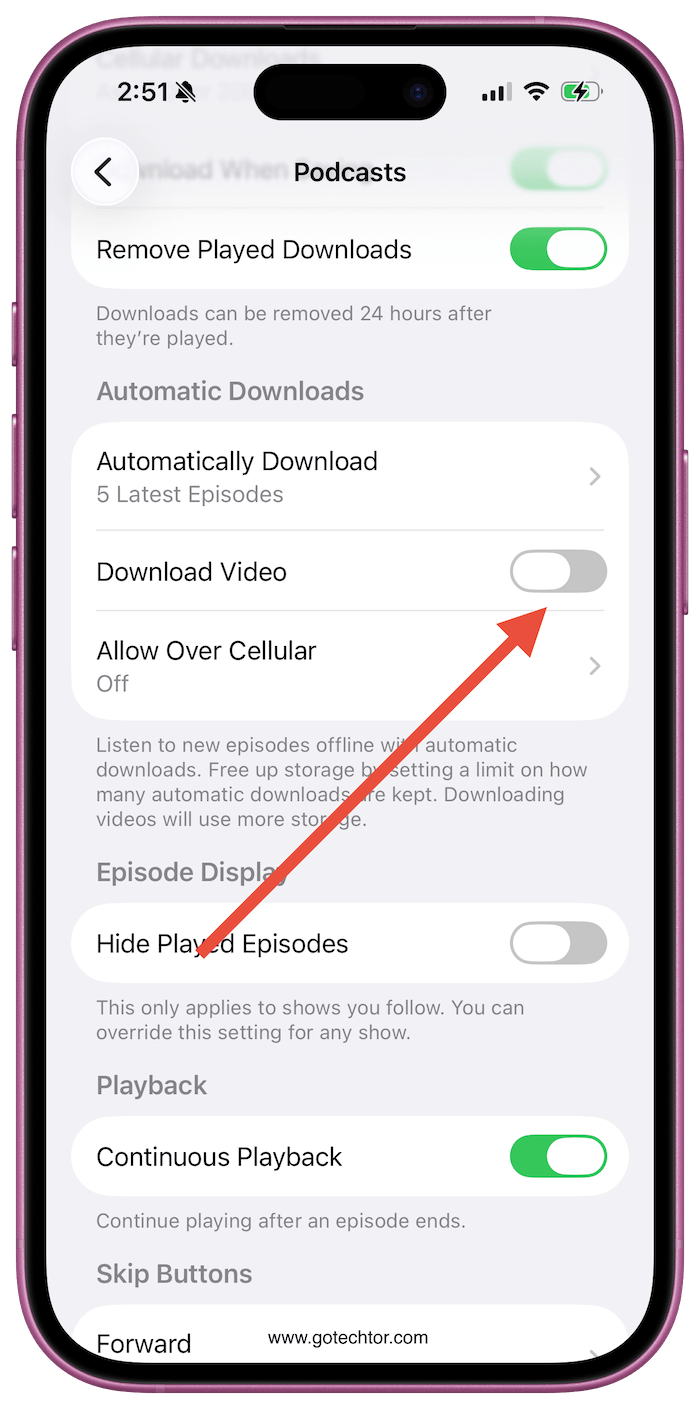
Podcast users can now download video podcasts for offline viewing, and the Reminders app can mark tasks as complete directly from alarm notifications, which makes task management faster.
Wrap Up
iOS 26.4 focuses on small improvements that make the iPhone more secure, more efficient, and easier to manage. The update becomes much more useful once you go into Settings and make a few adjustments.
For most users, the biggest improvements will come from enabling security features, turning on adaptive power, reducing unnecessary notifications, and adjusting display settings.
These small changes can add up to better battery life, fewer distractions, and stronger privacy protection without changing how you use your phone every day.

