

Your iPhone can turn almost anything into a clean, shareable PDF in seconds, and most people never realize it’s already built in.
A long article, a receipt, a boarding pass, a recipe, a form you need to sign, all of it can be converted without installing an app or jumping through menus.
Once you know where to tap, it becomes the fastest way to save, share, or archive information. Let me show you how it’s done.
The trick lives in the Share Sheet. Open the content you want to save, tap the Share icon, then scroll and choose Print.
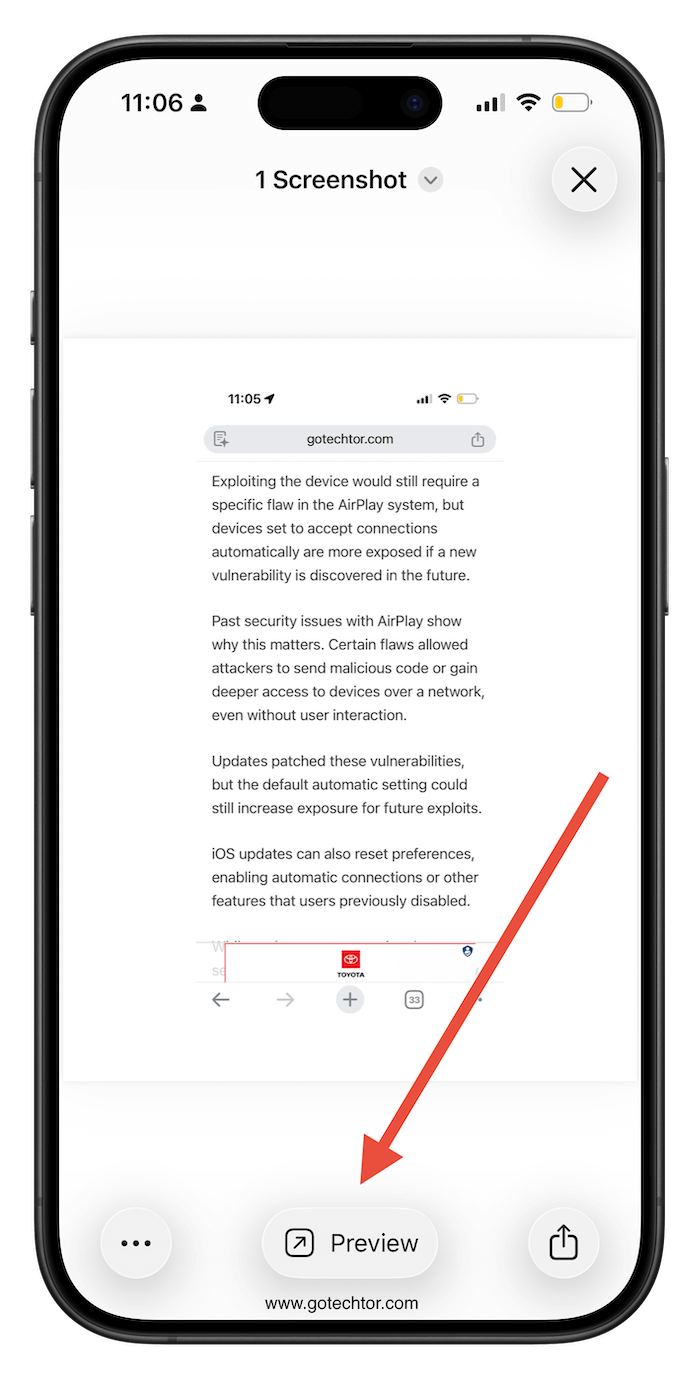
Instead of printing, pinch the preview with two fingers to expand it to full screen. That preview instantly becomes a PDF, which you can then share, save to Files, or mark up. It works in Safari, Mail, Notes, Photos, and most third-party apps.
This skips all the usual workarounds like exporting, downloading another app, or emailing files to yourself just to save them properly.
You get one properly formatted file that’s easy to search, annotate, and send, all from a tool you already use every day.
I use this constantly for receipts and confirmations. If I buy something online or get a service invoice in email, I convert it to a PDF and drop it straight into a “Receipts” folder in iCloud.
It keeps my inbox clean and saves me from having to track down that file later when I actually need it.
The moment you realize your phone can do this on its own, the workaround habits fall away.

