
Your iPhone’s Phone app just got a feature that most people have no idea exists yet, and once you turn it on, you’ll wonder how you survived without it.
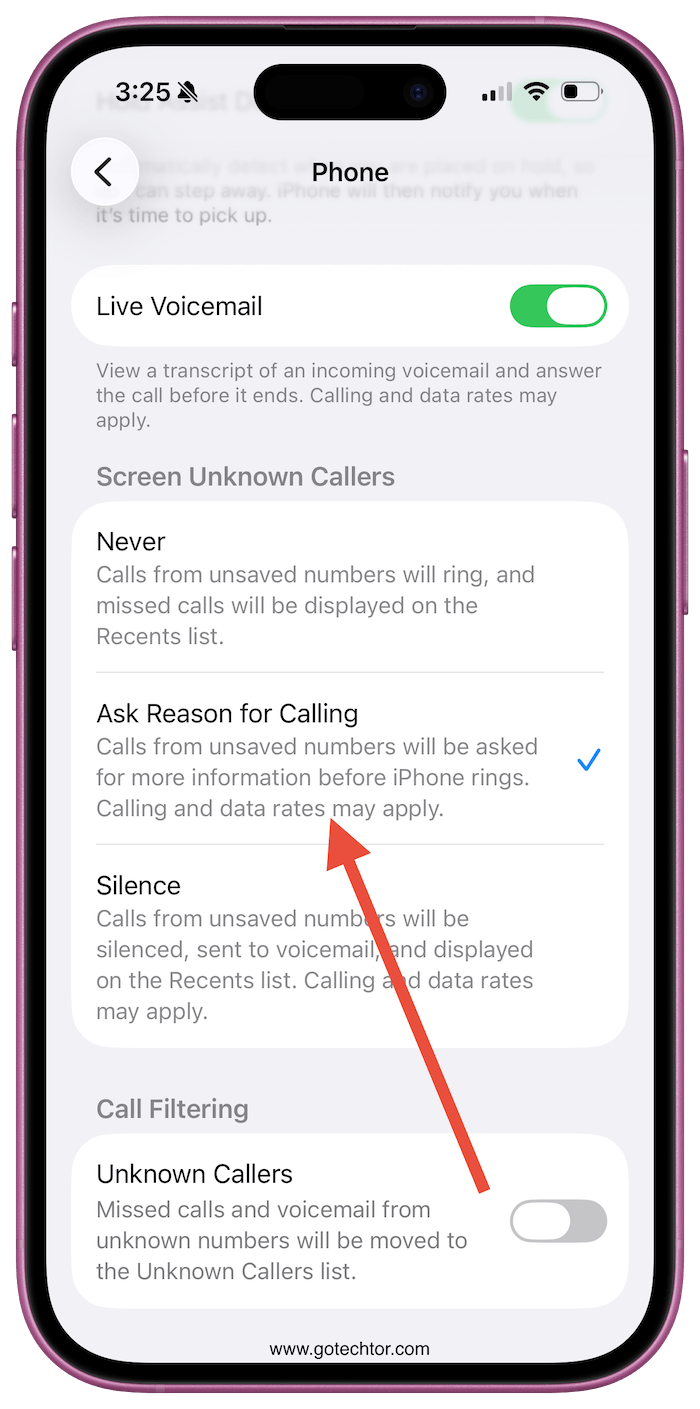
iOS 26 ships with something called Hold Assist, which quietly listens while you’re stuck on hold with your bank or insurance company, detects the moment a human finally picks up, and then alerts you.
You can put your phone down, make coffee, do literally anything else, and your iPhone will tap you on the shoulder when it’s actually time to talk.
Also: Apple just saved you $600—7 paid apps you can delete now with iOS 26 and macOS 26
Hold Assist shares the spotlight with Call Screening, which handles something equally annoying from the opposite direction.
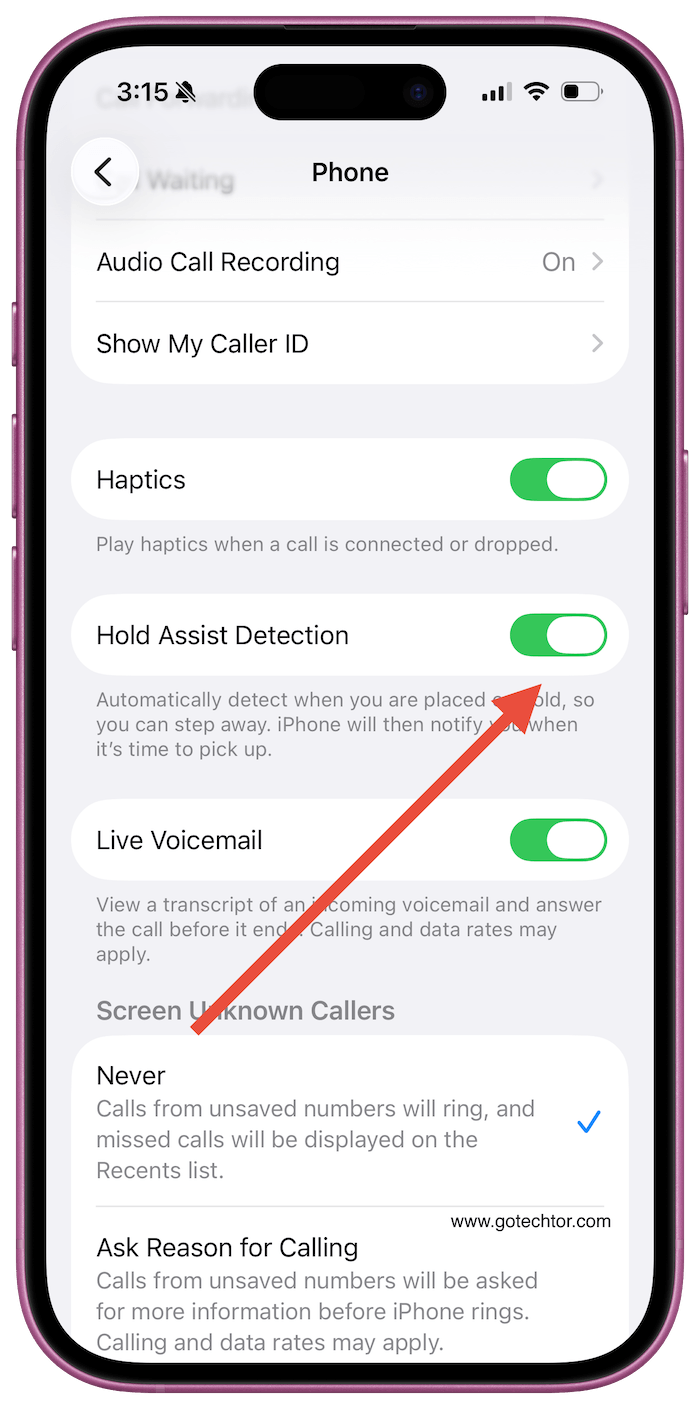
When someone you don’t have saved tries to call you, iOS 26 intercepts that call and asks the caller to explain why they’re ringing before your phone ever makes a sound.
If it’s a telemarketer, they’re gone before you even know they called. If it’s actually important, your lock screen shows you who it is and what they want the moment your ringer kicks in.
Both features are sitting in Settings under Apps, then Phone, waiting to be switched on. They’re opt-in, so nothing changes until you go find them.
Call Screening lives under Screen Unknown Callers, and Hold Assist is labeled Hold Assist Detection just a bit further down the same screen.
You can also activate Hold Assist mid-call by tapping the three-dot icon on your call screen.
Cutting spam calls before your phone rings and automating the most tedious part of being put on hold are such a big quality-of-life tweaks.
They change how the app behaves in the two situations most people genuinely dislike about phone calls in the first place.
If you haven’t dug into the iOS 26 Phone settings yet, this is the one update worth going to find on purpose.

