
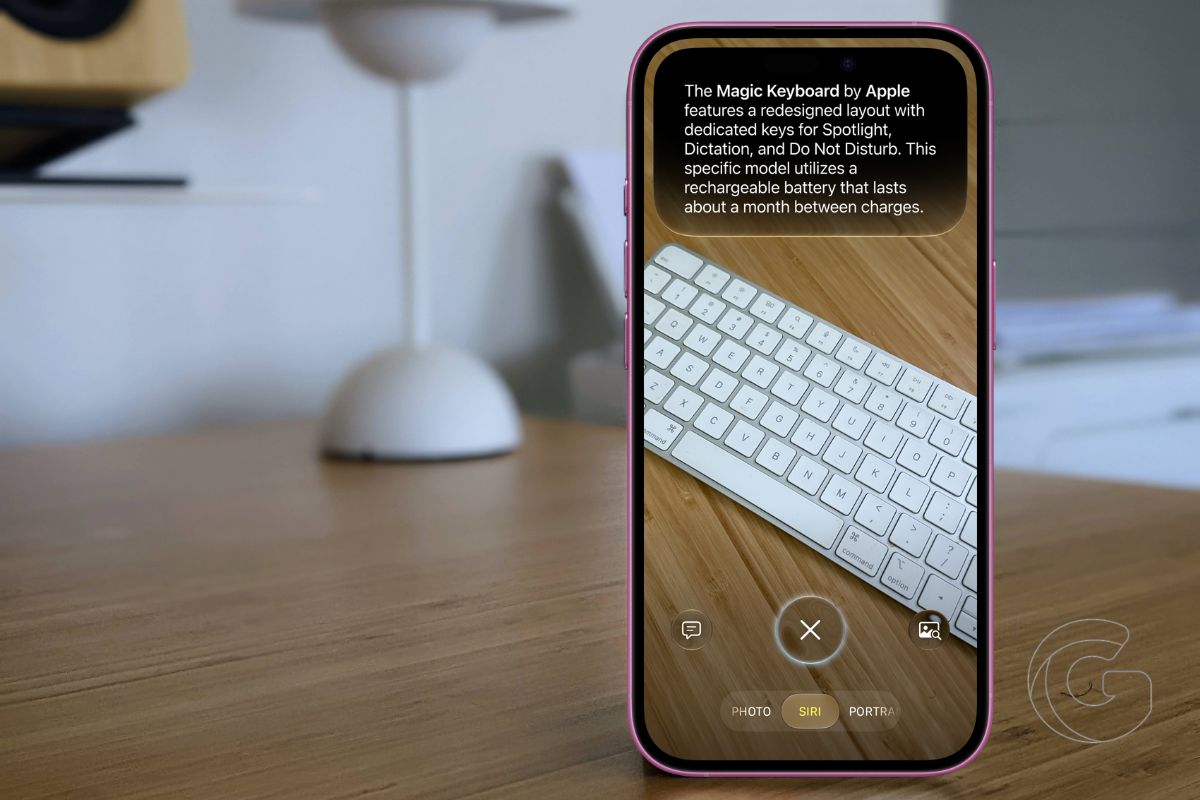
Your iPhone camera is becoming much more than a tool for taking photos.
In iOS 27, Apple is expanding Visual Intelligence with features that can help you understand what’s on your screen, pull information from the world around you, and even complete everyday tasks with a few taps.
Some additions are easy to miss, but together they make the camera feel far more useful than it did a year ago.
Here are the most useful Visual Intelligence features you can try in iOS 27.
Split a Restaurant Bill From a Photo
Group meals have always ended the same uncomfortable way. Someone does mental math. Someone pulls out a calculator app. Someone guesses and hopes nobody notices.
iOS 27 skips all of that. Snap a photo of the bill, and Visual Intelligence calculates who owes what based on each person’s order.
From there, you can request money through Apple Cash or send your share directly. No third-party app required.
This feature is U.S.-only for now, but for anyone who eats out with others, it’s probably the most immediately useful feature in this entire update.
Visual Intelligence Moves Into Siri
Apple moved Visual Intelligence to a far more accessible place. Swipe through the Camera app’s mode options, and you’ll find a new Siri Mode sitting right alongside Photo and Video. Point it at anything, and Siri analyzes what it sees in real time.
Ask follow-up questions. Get details without opening a browser. The previous setup buried Visual Intelligence behind the Camera Control button, which most people never pressed deliberately.
This change means millions more iPhone users will actually stumble across the feature and use it. Camera Control still works as a shortcut if you prefer it.
Ask Questions About Signs, Labels, and Objects
This is where Visual Intelligence starts feeling genuinely useful on a daily basis. Photograph a laundry tag covered in cryptic symbols, and Siri reads it clearly, then tells you exactly how to wash the item.
Point it at a confusing parking sign with overlapping restrictions and get a plain-English answer about whether you can park there. Find an old cable in a drawer and wonder what it connects to. Siri knows.
Siri now pulls answers directly from the web, which previously required handing off complex questions to ChatGPT. That handoff is gone. The responses are faster and stay within Apple’s ecosystem.
Create Contacts and Wallet Passes From a Photo
Photograph a business card, and the contact is added to your phone automatically, without typing.
Photograph a barcode from a gym membership or loyalty card, and it becomes a proper Wallet pass.
Both take seconds and eliminate two genuinely tedious tasks that most people just avoided doing.
Import Schedules Into Calendar and Reminders
Sports schedules on paper. Class timetables. Event lineups. Previously, adding these to your calendar meant typing each one manually.
Now you can photograph the list, and Visual Intelligence imports all of them into Calendar or Reminders at once. Parents with kids in multiple activities will notice this one immediately.
Visual Intelligence Expands to Mac and iPad
Visual Intelligence expanded beyond iPhone this year. On a Mac with Apple silicon, pressing Command-Shift-Space lets you select any portion of your screen and ask Siri a question about it.
This feature will come in handy for reading confusing charts, translating foreign text, or identifying something in a photo you’re editing.
On iPad, a screenshot triggers it, or you can swipe up from the lower left corner with Apple Pencil. Vision Pro users get it just by looking at something, including physical objects in the room around them.
Review Past Visual Intelligence Requests
Every Visual Intelligence request now saves automatically inside the Siri app. You can look back at anything Siri analyzed, including that plant you identified last month or the ingredient list you checked for allergens.
Retention can be set to one month, one year, or indefinitely. Small feature. Surprisingly handy when you actually need to find something again.
Visual Intelligence in iOS 27 requires an iPhone 15 Pro or later. Mac support needs Apple silicon, and iPad support requires Apple silicon or the A17 Pro chip found in the current iPad mini.

