
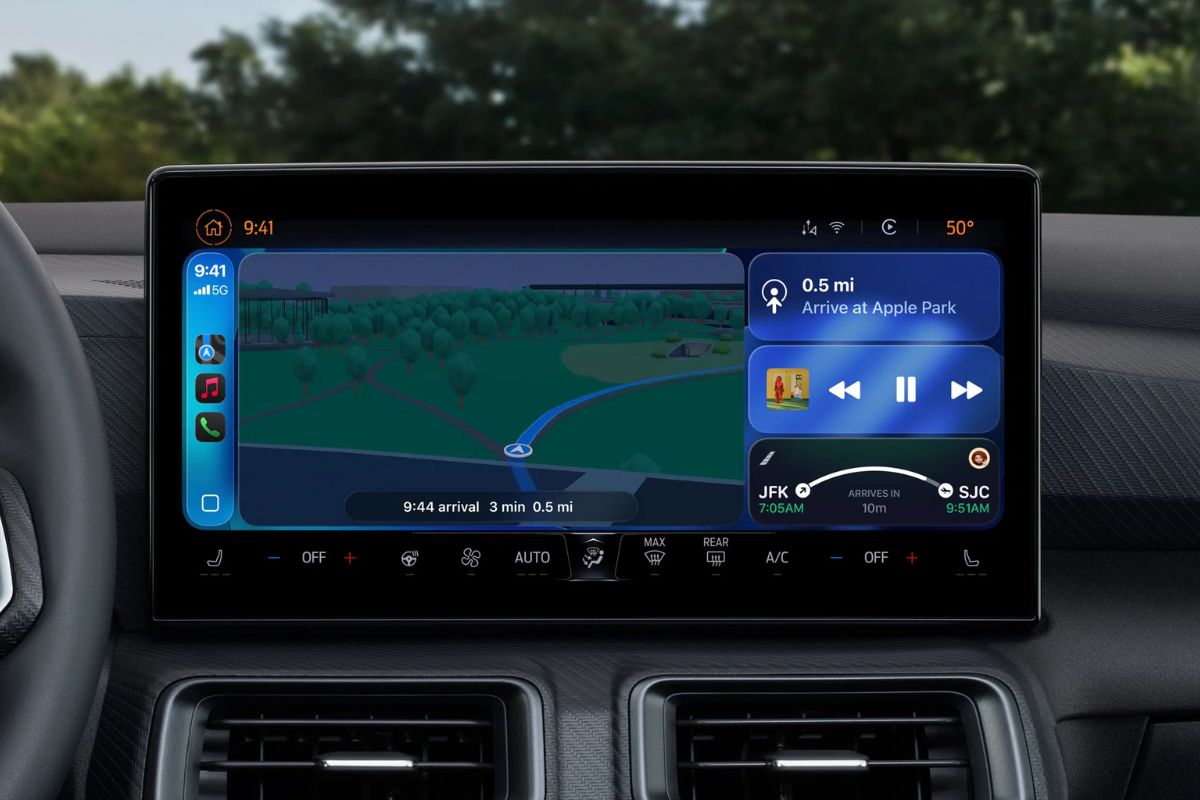
iOS 27, released September 14, brings CarPlay its biggest update in years, but several headline features require hardware support from automakers that doesn’t yet exist in any production vehicle.
The distinction matters because Apple has promoted video app browsing in CarPlay as a centerpiece of the update.
In practice, it requires automakers to certify AirPlay video integration for each specific vehicle, including the ability to share drive state with iOS so playback stops when the car moves. As of now, no manufacturer has publicly committed to supporting it.
The route-sharing feature, which lets navigation apps pass turn-by-turn data, EV charging stops, and range information directly to a car’s instrument cluster or infotainment display, has the same limitation.
What Works Right Now
Drivers with any CarPlay-equipped vehicle will see several changes immediately after updating.
The most practical is probably audio scrubbing: the Now Playing screen finally has a progress bar, so you can drag to any point in a song or podcast rather than tapping skip repeatedly.
A persistent mini-player keeps artwork and playback controls visible while browsing other screens.
CarPlay also opens up to third-party widgets for the first time. You can now add any compatible widget from your iPhone’s Home Screen to the CarPlay dashboard through Settings > General > CarPlay > your car’s name > Widgets.
Apple Music gains library filtering, letting you sort by favorites, playlists, albums, and artists, and Apple says third-party music apps can adopt the same capability.
Wireless CarPlay connections are also more stable in iOS 27, with improved GPS accuracy and better heading detection, both of which are iPhone-side changes requiring no new car hardware.
Apple has also brought its shared Celosia wallpaper design, featuring overlapping curves and soft shadows, to CarPlay in 14 color options.
Natural language search in Apple Maps now extends to CarPlay as well, so you can ask Siri for a route that avoids toll roads or highways from the car screen.
Siri Requires an Apple Intelligence iPhone
The upgraded conversational Siri in CarPlay, which handles back-and-forth exchanges and syncs chat history to the Siri app on your iPhone, only works on devices that support Apple Intelligence.
Access is also gated behind a waitlist, which you can join through Settings, then Siri on a supported iPhone.
A Developer Feature to Watch
Apple has given developers a voice control template that any CarPlay app category can adopt to support voice conversations within the app.
Nothing changes for users until individual developers build support for it, so adoption will be gradual. There is no timeline for when major apps might integrate it.
For most drivers, the update delivers a noticeably improved daily experience through widgets, audio scrubbing, and Maps changes, with the more ambitious features dependent on decisions automakers have yet to make.

