

Your iPhone is already the one thing you never leave behind when traveling. It handles directions, bookings, and photos without effort. But there is a small feature hiding in plain sight that can quietly save you money every single day abroad.
Most people still open a browser and search for exchange rates on the spot. It works, but it slows you down and depends on having a solid connection.
There is a faster way built right into your iPhone that feels almost instant once you know where to look.
Also: 30 cool iPhone hacks that’ll make your life way easier
Inside the Calculator app, Apple added a Convert feature that turns your phone into a live currency converter.
It supports major currencies worldwide, from the US dollar to the Korean won and the Swedish krona.
You can check prices on the fly while walking through a market, sitting in a taxi, or scanning a menu, without jumping between apps.
Also: 5 iPhone calculator features you need to use that will save you time and frustration
What makes it even more useful is how it handles limited connectivity. The rates update when you have internet access, then stay available when you don’t.
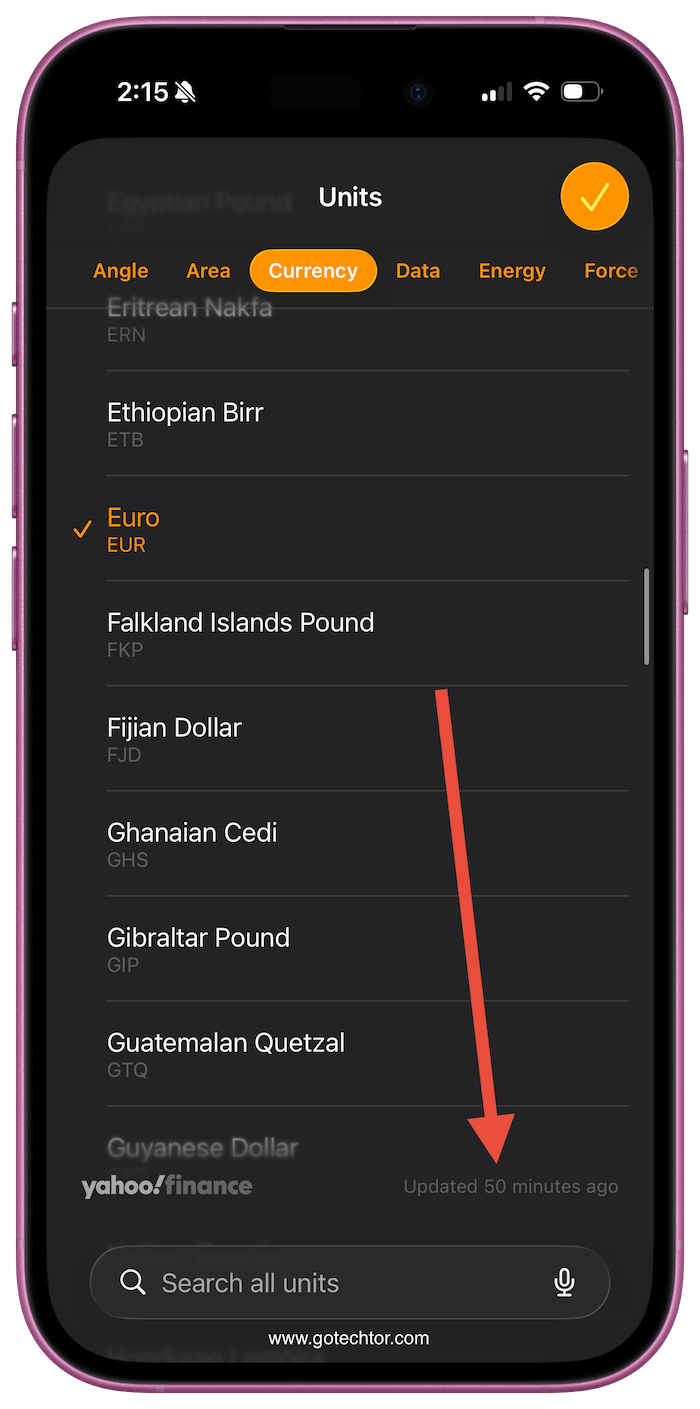
That means you can still check prices in places where the signal drops or Wi-Fi is unreliable, which is exactly when most people feel unsure about spending.
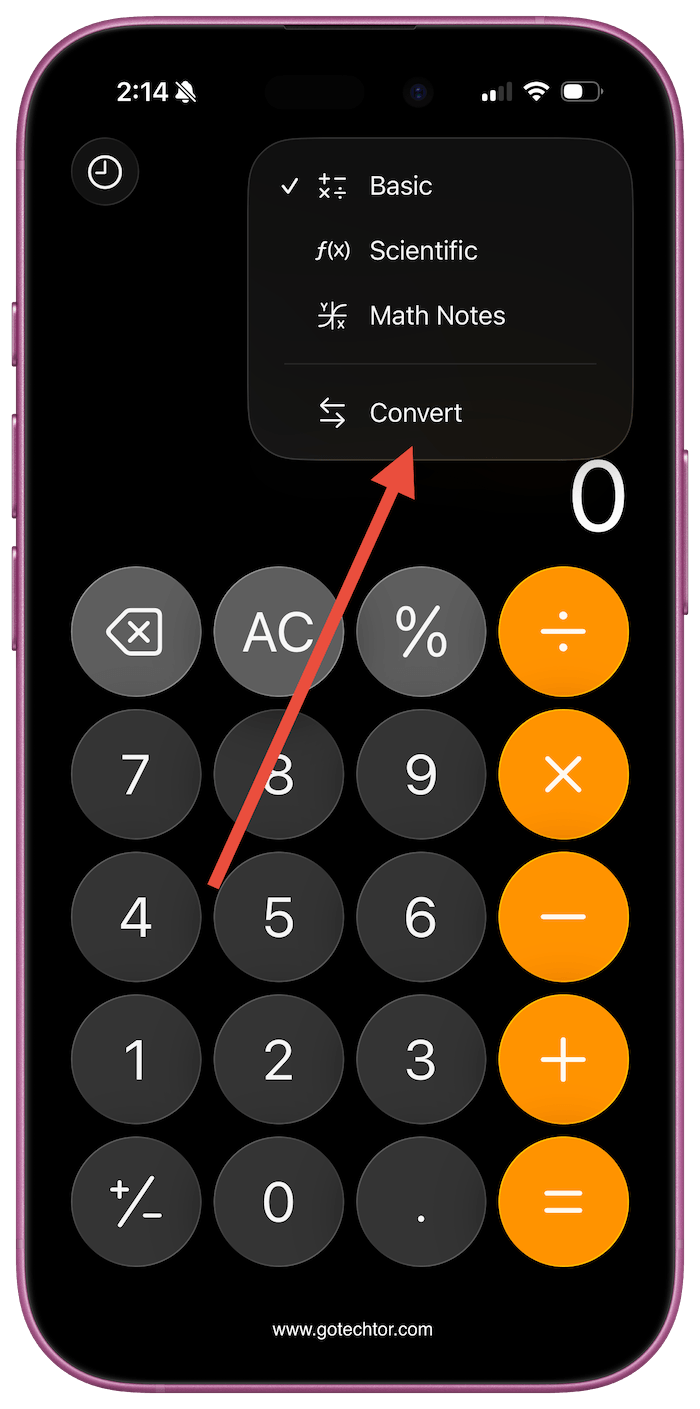
Getting started takes a few seconds. Open the Calculator, tap the corner icon, then switch to Convert.
Also: This clever iPhone feature translates your texts in real time without you doing anything extra
From there, choose your currencies and type the amount. The result shows instantly, so you always know what you are paying in your own currency before you commit.
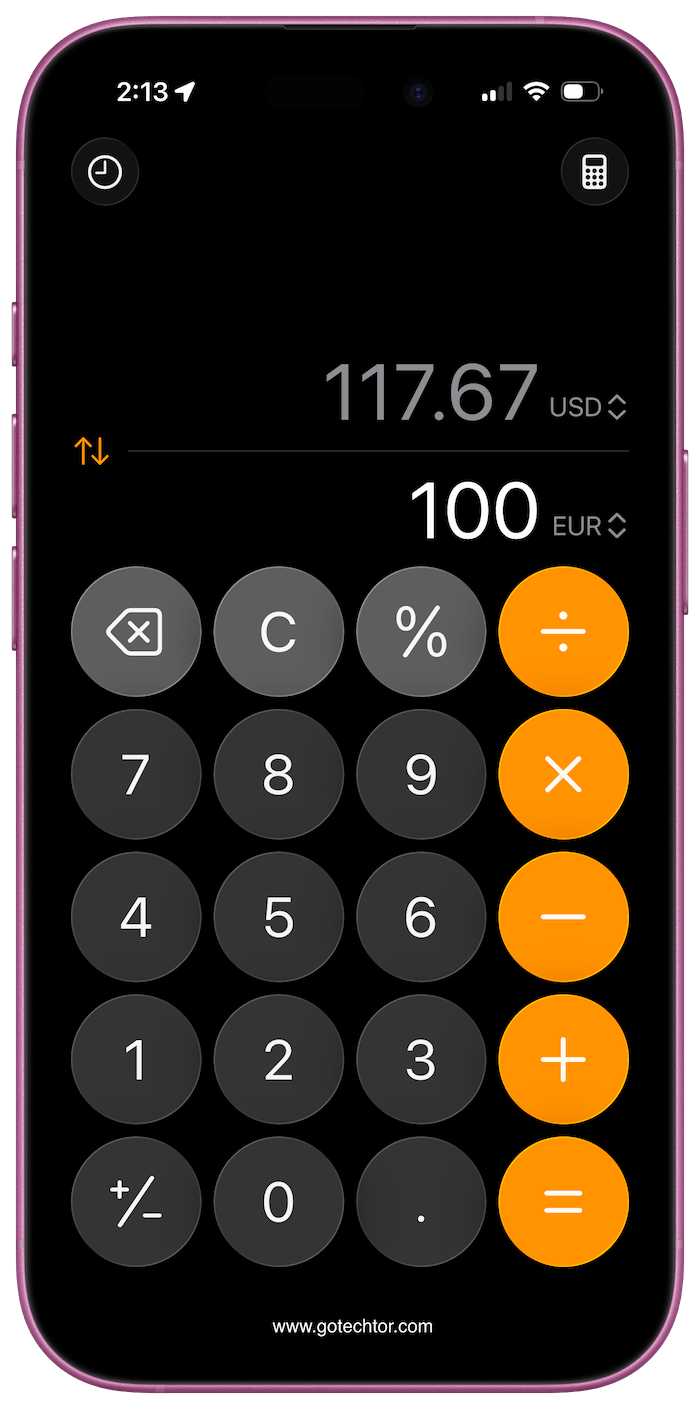
There is also a quicker method if you prefer typing naturally. In Math Notes, you can enter something like “100 Euros to USD” and your iPhone will calculate it right away. It feels similar to searching online, except it happens directly on your device.
Once you start using it, it becomes second nature. You stop second-guessing prices and move through your trip with more confidence, knowing exactly where your money is going.
Did you already know about this iPhone feature, or is this your first time seeing it?

