

Your iPhone has plenty of useful features that are easy to miss, including tools buried in Accessibility, Photos, Maps, and even the menu that appears when you highlight text.
Some can save you a trip to another app. Others add familiar features such as Live Photos, widgets, and song-lyrics capabilities you may not realize are already built in.
1. Your iPhone can listen for alarms, doorbells, and appliances
Sound Recognition can continuously listen for specific noises around you and send a notification when it recognizes one. You’ll find it under Settings > Accessibility > Sound & Name Recognition > Sound Recognition.
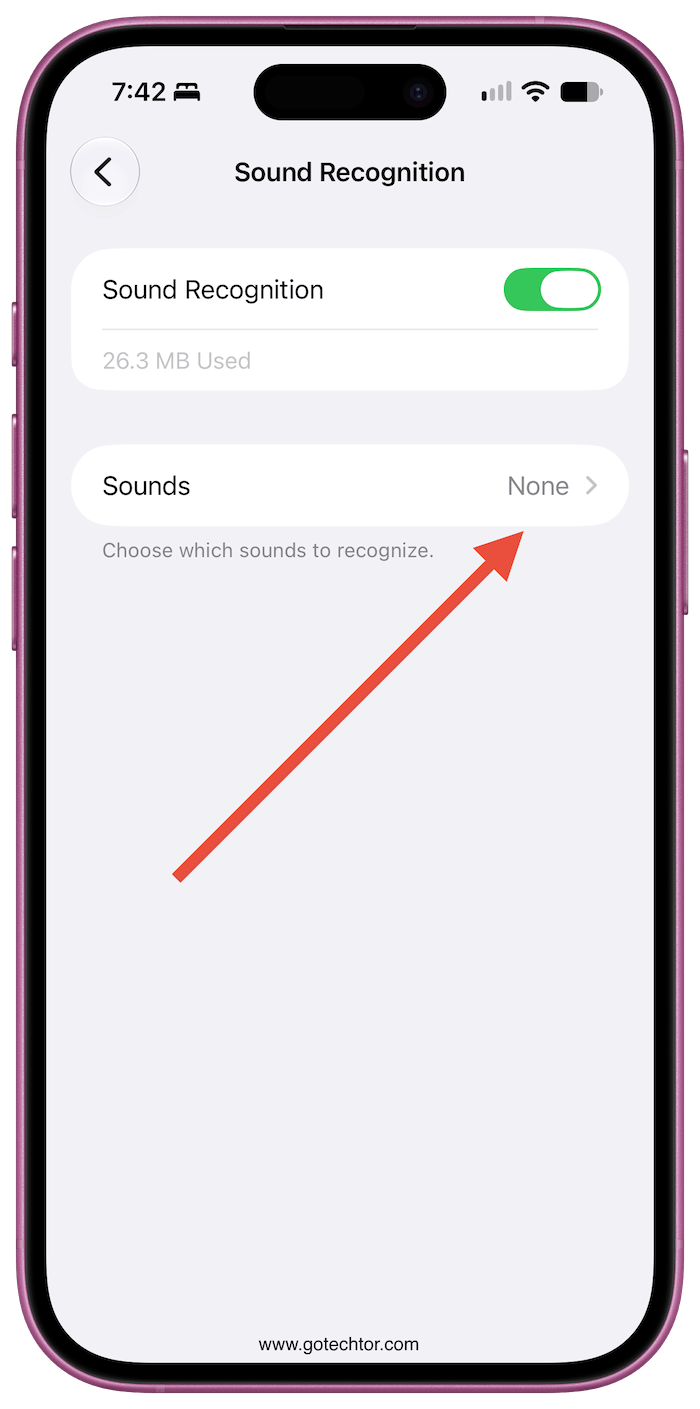
The available sounds include smoke and fire alarms, doorbells, sirens, appliances, crying babies, barking dogs, and several other common noises. You can also train the iPhone to recognize a custom alarm or appliance that isn’t already included.
It was designed as an accessibility feature for people who are deaf or hard of hearing, but it can also be useful when you’re wearing headphones, working away from the front door, or waiting for an appliance to finish.
2. Photos can recognize sounds inside your videos
Photos doesn’t only analyze what’s visible in a video. It can also identify certain sounds captured in the recording.
That includes recognizable audio such as applause and cheering, giving you another way to understand what’s happening in a video without relying entirely on the image.
It’s especially handy when you’re going back through videos from concerts, sporting events, parties, and other recordings where sound is an important part of the moment.
3. Live Photos can become long-exposure shots
You don’t need a dedicated camera app to create a long-exposure effect. A Live Photo already contains multiple frames captured around the moment you pressed the shutter, and Photos can combine that movement into a single image.
Open a Live Photo and select Long Exposure from its available effects. Moving water becomes smooth, passing lights can turn into trails, and people moving through a scene can blur while stationary objects remain relatively sharp.
The effect works best when the iPhone stays still while you capture the Live Photo.
4. You can change the focus of a portrait after taking it
Taking a Portrait photo doesn’t lock you into the focal point you chose when you pressed the shutter.
Because compatible Portrait photos retain depth information, Photos lets you change which subject is in focus afterward.
You can also adjust the amount of background blur and make other Portrait-specific edits without taking the picture again.
That can rescue a photo when the camera focuses on the wrong face or object, even though everything else about the shot came out correctly.
5. Your iPhone can convert foreign prices without another app
When you come across a price in another currency, you don’t necessarily need Google or a currency converter.
Select the amount in supported apps, and iOS can convert it directly from the contextual menu. The converted amount appears without requiring you to leave the page you’re reading.
It’s particularly convenient when browsing international stores, checking hotel prices, or reading about products priced for another country.
6. You can send someone a specific line from a song
Apple Music lets you share more than a link to an entire track. With songs that support time-synced lyrics, you can select the exact lyrics you want someone else to hear.
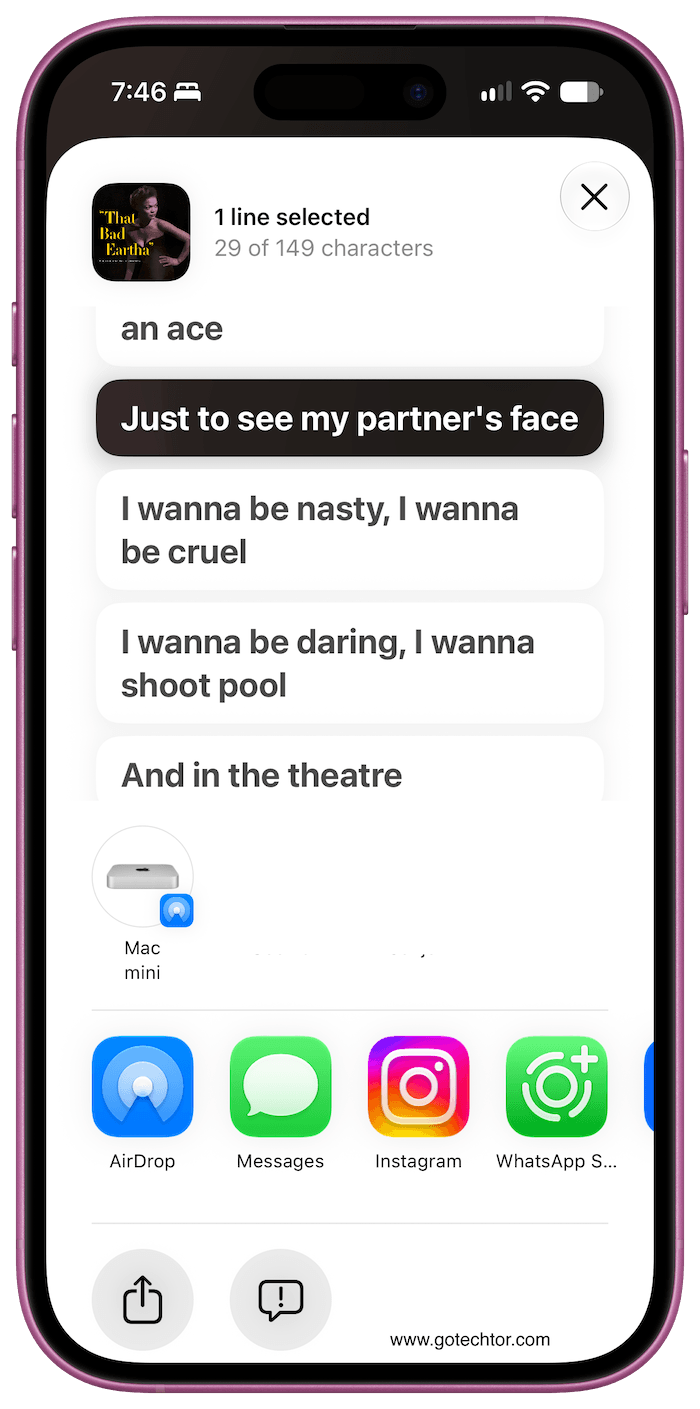
Open the lyrics view, press and hold a line, and select the section you want to share. When sent through Messages, the recipient gets the selected lyrics along with a playable excerpt from that part of the song.
It’s a much better way to share the exact verse or chorus you had in mind instead of sending the song and telling someone where to skip.
7. Several widgets can occupy the same Home Screen space
If widgets are taking over your Home Screen, you can stack compatible ones on top of each other rather than giving each its own space.
Smart Stacks let you swipe vertically between widgets such as Weather, Calendar, Photos, and other supported apps from the same position.
Widget Suggestions and Smart Rotate can also change what appears based on factors such as time, location, and your activity.
You can create one manually by dragging a widget on top of another compatible widget of the same size.
8. Your Lock Screen wallpaper can change automatically
Photo Shuffle can rotate your Lock Screen through multiple pictures without requiring you to change the wallpaper yourself.
You can let the iPhone choose featured people, pets, nature, and cities from your photo library or manually select the pictures you want included. The wallpaper can change when you tap the screen, lock the phone, once an hour, or once a day.
That gives you a rotating wallpaper without installing a wallpaper app or creating an automation.
9. Apple Maps can navigate inside some airports and malls
Apple Maps isn’t limited to streets and highways. Supported airports and shopping centers have detailed indoor maps showing what’s located inside the building.
Depending on the location, you can browse individual floors and find gates, stores, restaurants, restrooms, baggage claim areas, and other points of interest.
In a large unfamiliar airport, that can be much more useful than trying to decode signs while rushing between terminals.
10. You can create your own wallpaper with Image Playground
If nothing in your photo library works as a wallpaper, Image Playground can generate one from a description, people, themes, costumes, places, and other elements.
You can create images in several available styles and save them to Photos, where you can use them as a Lock Screen or Home Screen wallpaper like any other picture.
Image Playground requires a compatible Apple Intelligence device, so this one isn’t available on every iPhone that can run iOS 27.

