
Apple released the seventh developer beta of macOS Golden Gate, continuing a steady weekly cadence as the operating system moves toward its fall launch.
The update arrives one week after beta 6 and carries the same broad set of features that have defined the release since it was first shown to developers earlier this year.
A New Look for macOS
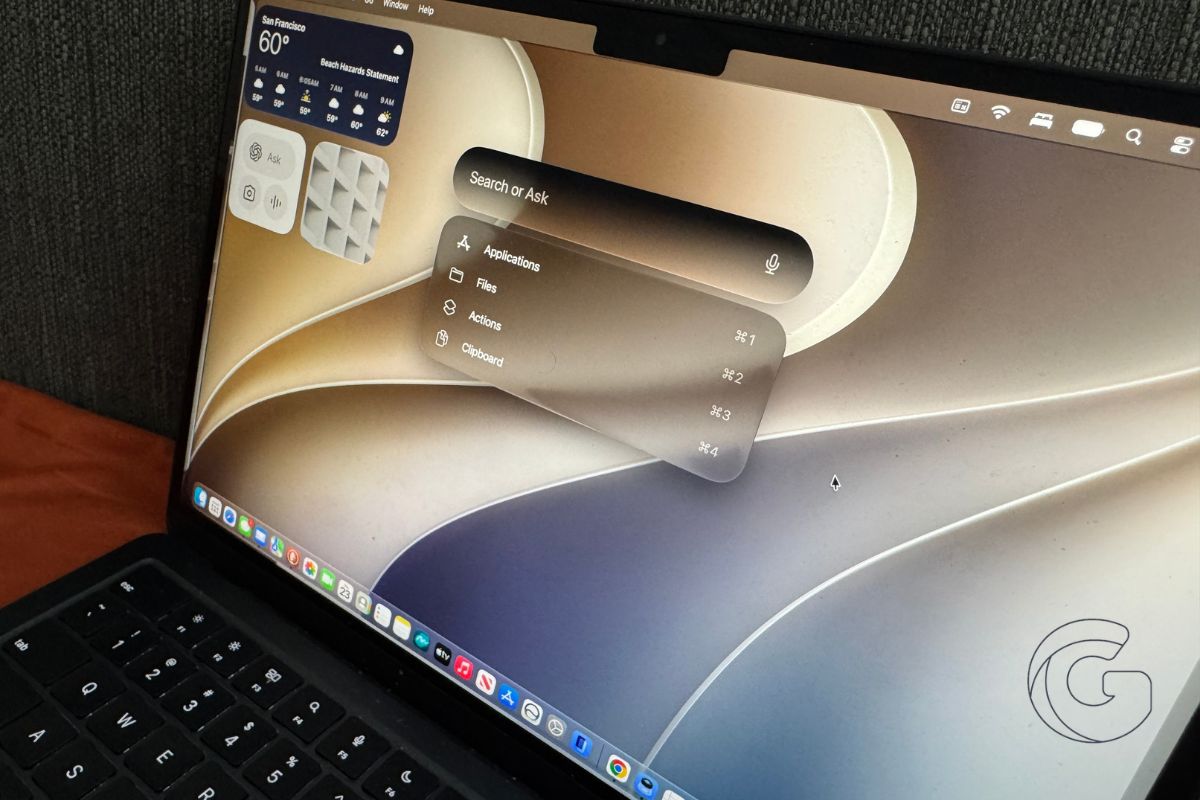
The most visible change in macOS Golden Gate is the redesigned interface built around a material Apple calls Liquid Glass, which gives windows and controls a translucent, layered appearance.
Early beta versions drew criticism for readability problems, and Apple has been refining the effect throughout the testing cycle.
Beta 7 continues that work with improved opacity handling and updated shadowing, making it easier to identify which window is active.
Apps now share uniform toolbars and edge-to-edge sidebars, and the menu bar has been pared back with fewer icons on display. Corners are also less rounded than in previous betas.
Apple also added a transparency slider, giving users direct control over how much the Liquid Glass effect shows through. The addition reflects feedback from testers who wanted more say over the look.
Siri Gets a Full Redesign
Golden Gate replaces the traditional Siri interface with what Apple calls Siri AI, a chatbot-style assistant that draws on general knowledge, personal data, and awareness of what is currently on screen.
The assistant now lives inside Spotlight, accessible through a Search or Ask interface, and a dedicated Siri app lets users hold extended conversations and review past exchanges. On newer Mac models, users can configure a custom voice with adjustable pace and expressiveness.
Visual Intelligence, previously limited to iPhone, is now available on the Mac, allowing Siri to answer questions about on-screen content. A Write with Siri feature can generate text from scratch or provide feedback on existing writing.
AI Across the System
AI tools extend well beyond Siri in Golden Gate. The Photos app gains AI-powered editing features, Safari can automatically organize open tabs using AI, and the Passwords app can identify weak credentials and suggest stronger replacements.
Image Playground, Apple’s image generation tool, has been updated to produce photorealistic images rather than stylized illustrations.
Developers with a free Apple developer account can install beta 7 by navigating to System Settings, selecting General, then Software Update, and enabling beta updates. A public beta track is also available for non-developers through Apple’s beta testing website.
The final release is expected this fall alongside iOS 27 and iPadOS 27, which also received their seventh betas on Monday.

