
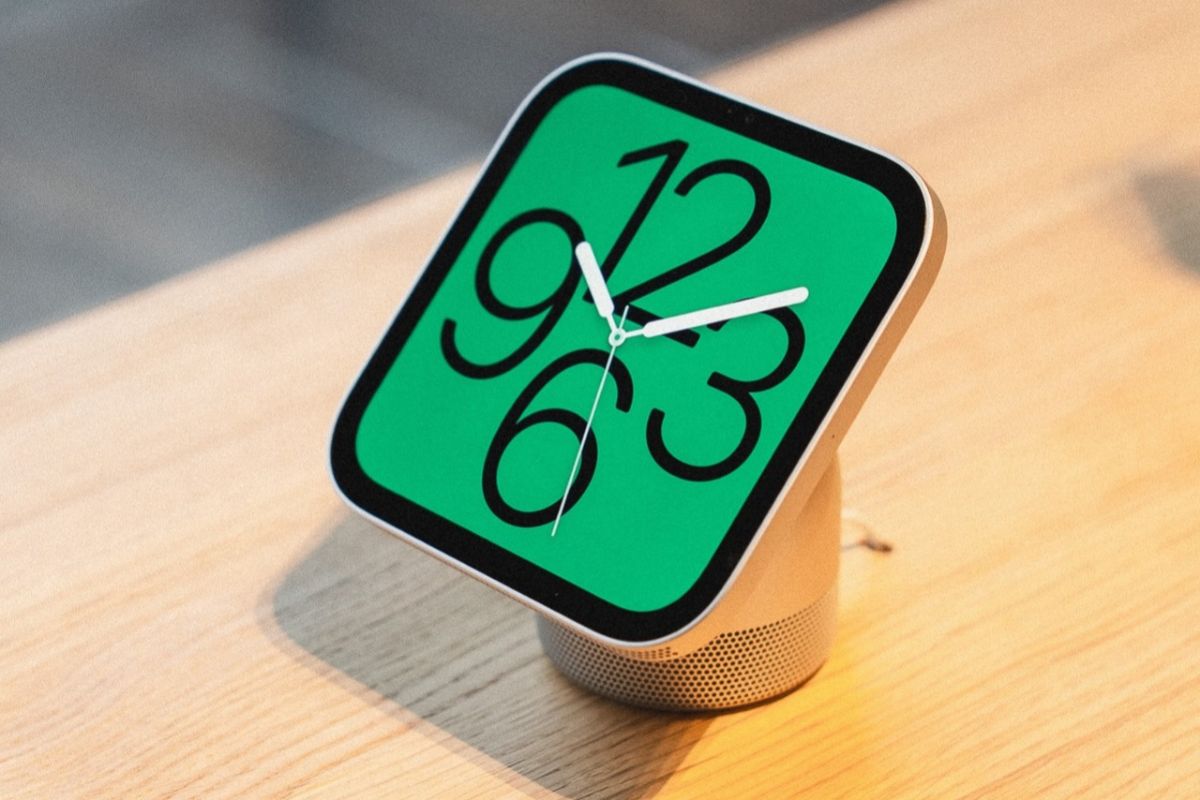
Apple’s new HomeView is finally available, bringing a seven-inch touchscreen, Siri AI, and personalized smart home controls into one device.
Powered by the A18 chip, HomeView can recognize household members, display personal information, and control connected accessories.
But some of its most interesting features come with limitations that aren’t immediately obvious.
Here are 10 things worth knowing about Apple’s new smart home hub.
1. Face Recognition Won’t Work If You’re Wearing Sunglasses
HomeView uses its built-in camera to recognize household members and display personalized information, including Calendar events and Messages.
However, wearing sunglasses or anything that obscures your face can prevent recognition.
Apple also recommends positioning the device toward your face, with even lighting and a clear camera view.
If several people are standing nearby, HomeView prioritizes whoever is closest to the camera.
2. Your iPhone Must Be Nearby to Access Personal Information
Recognizing your face isn’t enough to unlock personal content.
HomeView also checks whether your registered iPhone is nearby, has been unlocked recently, and is connected to the same Wi-Fi network.
If Wi-Fi becomes unavailable, cellular connectivity can serve as a fallback, provided the iPhone is in the same location and was recently connected to that network.
This extra verification helps prevent someone from accessing your personal information simply by standing in front of the device.
3. Too Many Failed Attempts Can Disable Face Recognition
HomeView includes another safeguard against unauthorized access.
After repeated failed attempts to access personal content, the device disables camera-based recognition.
You’ll then need to verify your identity using a registered device before personalized access can resume.
4. You Can Control What Guests Are Allowed to Do
HomeView isn’t limited to the people registered in your household.
Guests can use certain features without signing in, but owners decide what they’re allowed to access.
For example, you can:
- Allow or restrict Safari browsing.
- Block adult content.
- Enable or disable Siri for general questions, writing assistance, and math.
- Control access to explicit content.
- Choose which Apple Music subscription guests use for playback.
Siri’s general-purpose features are available to guests by default, although owners can disable them.
5. HomeView Has a Built-In Mirror
One unexpected feature is Mirror, which turns HomeView’s camera and display into a digital mirror.
Accessible through Control Center, it lets you see yourself on the screen without starting a video call.
You can switch between 1x and 2x zoom and enable an edge light for additional illumination.
It could come in handy for a quick appearance check before leaving home or joining a FaceTime call.
6. You Can Set a Sleep Timer for Music and Other Media
HomeView includes a sleep timer that automatically stops media playback after a selected period.
It’s useful if you enjoy listening to music or other audio before bed and don’t want playback continuing throughout the night.
7. Signing Into Apps Works Through Your iPhone
You won’t necessarily need to type usernames and passwords on HomeView’s touchscreen.
For supported websites and apps, HomeView can handle sign-ins through your iPhone, similar to the process used on Apple TV.
That should make setting up services easier, particularly for accounts with long passwords.
8. Notifications Are Surprisingly Limited
Despite having a touchscreen and access to personal information, HomeView doesn’t offer the same notification experience as an iPhone or iPad.
Notifications are limited to phone calls and smart home device alerts, with an additional option for critical notifications.
There aren’t broader controls for enabling notifications from other apps.
Anyone expecting HomeView to function as a full notification dashboard may find that restrictive.
9. You Can Adjust the Liquid Glass Interface
HomeView uses Apple’s Liquid Glass design, bringing translucent interface elements similar to those found on iPhone, iPad, and Mac.
Unlike a fixed visual effect, its transparency can be adjusted.
Users can choose anything from a fully transparent appearance to a more opaque interface, depending on their preferences.
10. There’s No Physical Power Button
One of HomeView’s more unusual hardware decisions is the absence of a physical power button.
If you need to restart the device, you’ll have to open the Settings app or briefly disconnect it from power.
That may not matter during everyday use, but it adds an extra step when troubleshooting a frozen or unresponsive device.
HomeView went on sale November 13, and these details give a better sense of what to expect beyond Apple’s main selling points.

