
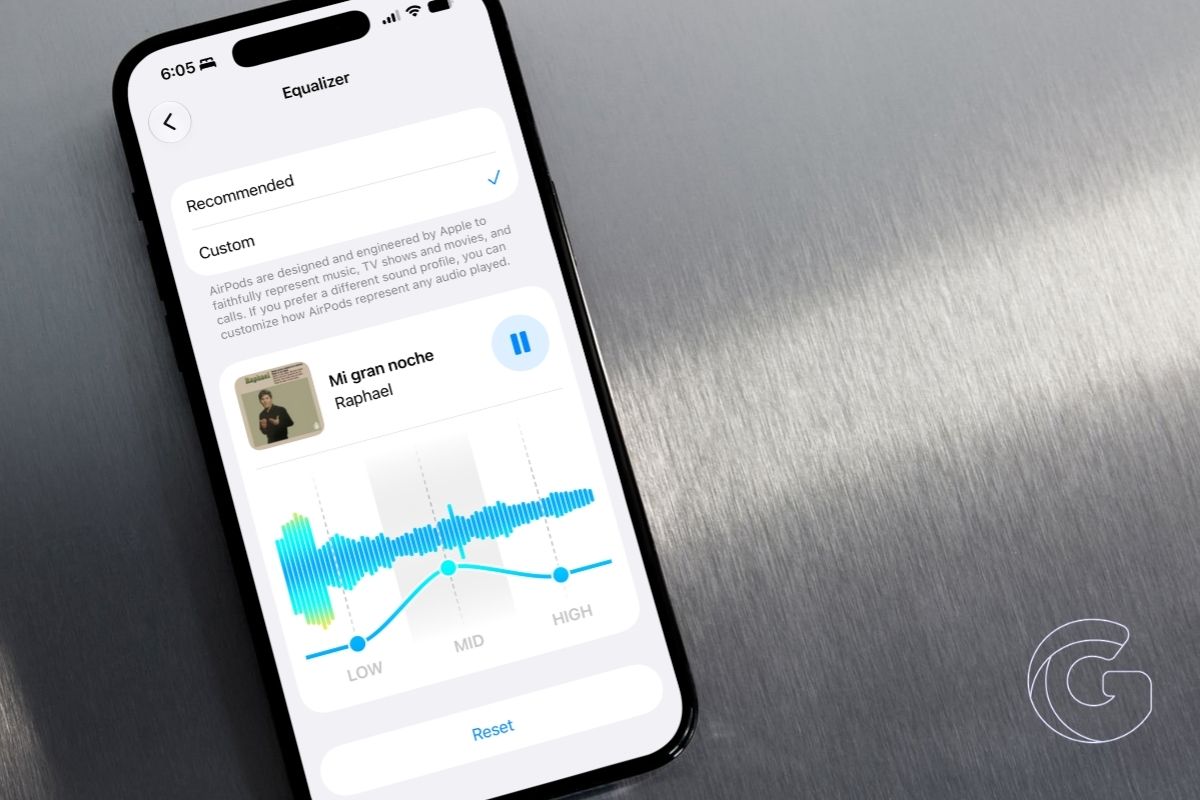
iOS 27 adds a full system-wide equalizer for AirPods, replacing the basic, Apple Music–only presets.
You can now adjust custom audio profiles that apply across all apps, including Spotify and YouTube, on supported models like AirPods Pro, AirPods 4, and AirPods Max.
For years, Sony, Bose, and Sennheiser have offered per-device EQ controls through their companion apps, letting users shape the sound of their headphones to match personal preferences.
AirPods owners had no equivalent option. iOS did include an EQ setting, but it was buried inside Music app preferences and only affected Apple Music playback.
The new EQ in iOS 27 works across every audio source, including Spotify, podcasts, YouTube, phone calls, and anything else routed through your AirPods.
The profile also follows your AirPods across devices. Set your preferred bass and treble balance on iPhone, and those same settings apply automatically when you connect to an iPad or Mac running iPadOS 27 or macOS Golden Gate.
Which AirPods Support It
The feature requires Apple’s H2 chip, which limits compatibility to AirPods Pro 2, AirPods Pro 3, AirPods 4, and AirPods Max 2. The original AirPods Max and any earlier AirPods model are not supported.
Beyond the hardware requirement, your AirPods will also need the current beta firmware installed before the Equalizer option appears in Settings.
To get the firmware, connect your AirPods to your iPhone, open Settings, tap your AirPods at the top of the screen, then look for AirPods Beta Updates and switch it on.
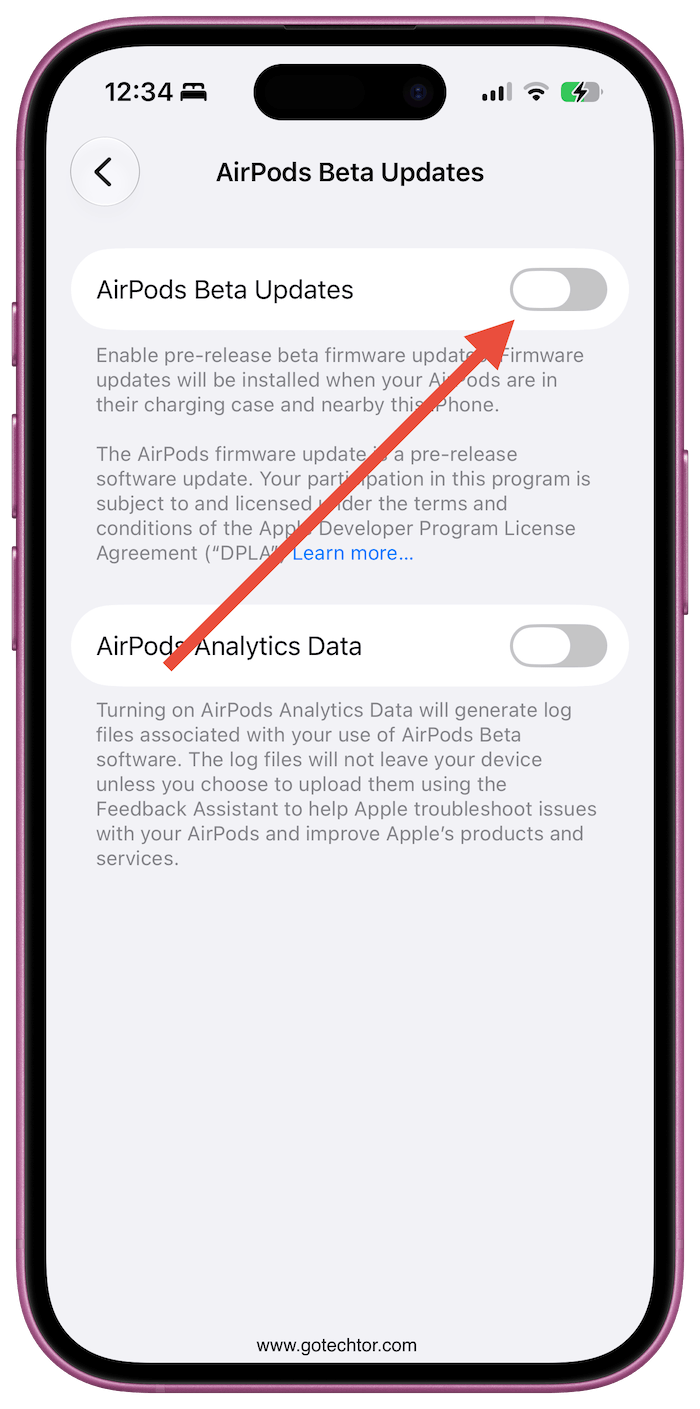
From there, place the AirPods in their case, connect the case to power, and leave it near an unlocked iPhone. The firmware installs in the background and typically completes within 30 minutes.
How to Set a Custom EQ for Your AirPods in iOS 27
With your AirPods connected, open Settings on your iPhone and tap your AirPods at the top.
- Go to Audio and Routing.
- Tap Equalizer.
- Select Custom, and three control points appear representing low, mid, and high frequencies.
- Drag each point up or down to adjust bass weight, vocal presence, or treble clarity.
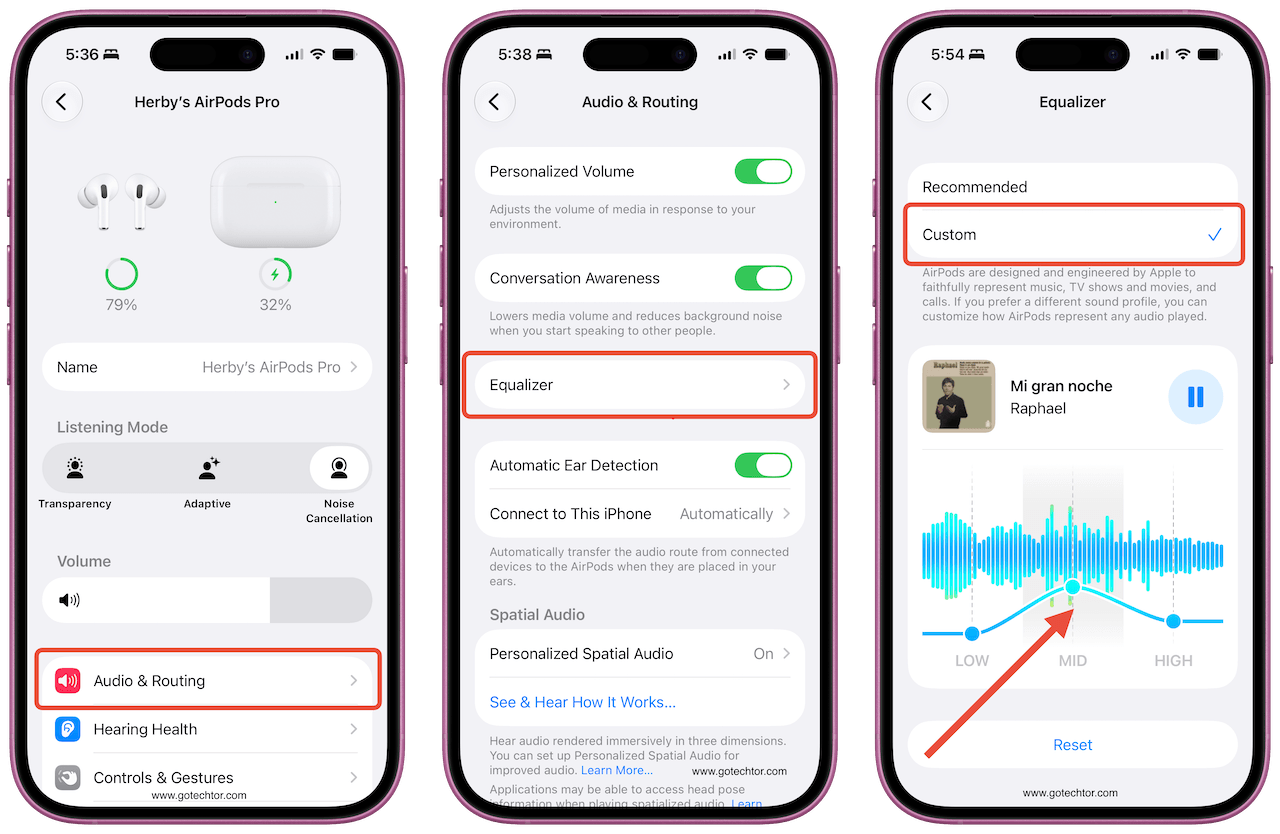
A media playback control sits above the EQ display so you can hear changes against actual music as you make them.
Tapping Reset returns everything to where you started. The Recommended option restores Apple’s factory tuning.
The same controls are available on iPad through iPadOS 27 and on Mac through System Settings in macOS Golden Gate.
iOS 27 is currently in public beta, with a general release scheduled for September 2026. The EQ feature will roll out to all compatible AirPods at that point without any additional purchase required.

